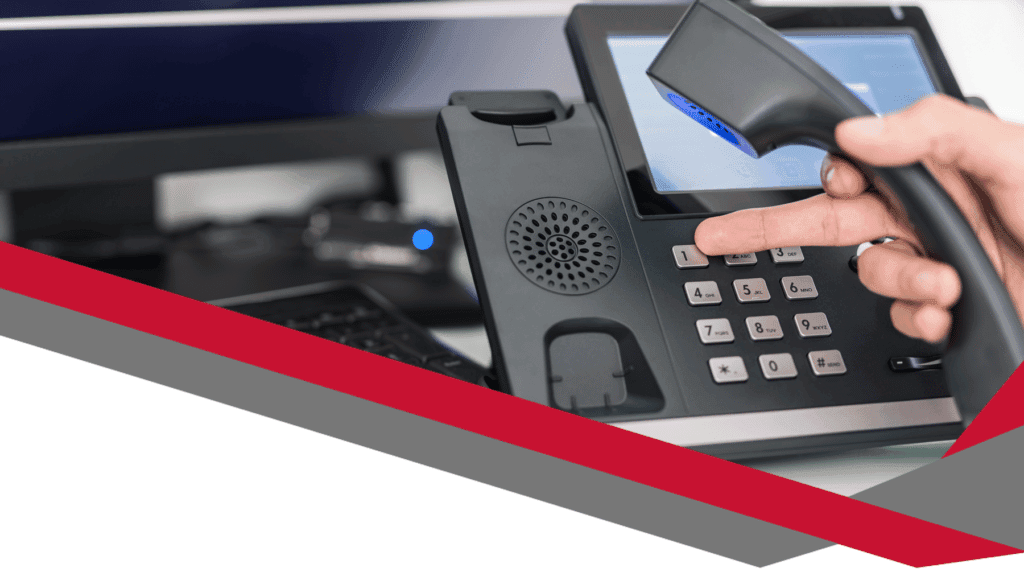
Choosing between corded vs wireless headsets can feel confusing when you want clarity, comfort, and great call quality. Many UK businesses face the same question as they review equipment for hybrid teams, contact centres, front-of-house roles, and busy office environments. This guide helps you compare both options with simple explanations, real-world examples, and clear advice. You also gain an easy way to choose the best headset for your team without wasting money or buying the wrong setup. You can explore our full range here: https://digicomm360.com/telephone-headsets/. Although both types work well, your team’s needs should always drive the decision. Let’s walk through everything in a clear, jargon-free way.
Understanding the Difference
Corded headsets connect directly to your device with a cable. They offer reliability and great sound. Wireless headsets use Bluetooth or DECT technology, giving you movement without cables. That freedom transforms busy workflows, especially in open offices, reception desks, and hybrid spaces. Because so many teams now work across different locations, this choice has never mattered more. The right headset boosts productivity, comfort, and professionalism every day.
Corded vs Wireless Headsets: Quick Comparison Table
Feature
Corded Headsets
Wireless Headsets
Reliability
Always stable connection
Occasional interference possible
Sound Quality
Consistent, clear audio
High quality, especially with DECT
Mobility
Limited by cable
Full movement around workspace
Battery
No charging needed
Needs charging cycle
Cost
Usually cheaper
Typically more expensive
Setup
Simple plug-and-play
Needs pairing
Best For
Desks, call centres
Hybrid work, reception, managers
Pros and Cons of Corded Headsets
Corded headsets offer strong advantages. They deliver dependable sound every time, which helps when your day involves constant calls. The cable ensures a stable connection without delays or dropouts. This reliability matters for support teams, sales floors, and reception desks. Corded devices also have predictable pricing. Because they cost less than wireless options, they suit businesses buying in bulk or replacing equipment across large teams. They also need no charging. Your team can plug in and start talking straight away without worrying about battery life. Despite those benefits, some people find the cable annoying. Movement becomes limited. Cables can tangle. The desk feels cluttered. That works for structured roles but not for people who regularly move between spaces or handle physical tasks while talking.
Pros and Cons of Wireless Headsets
Wireless headsets transform flexibility at work. The freedom to stand, walk, stretch, and move feels natural. That mobility supports healthier working habits and reduces strain during long calls. Wireless devices also suit hybrid workers who switch between different spaces. Reception teams often greet visitors while still handling calls, so the ability to keep talking while moving adds value. Managers who join quick catch-ups or step into other rooms benefit from the flexibility too. The only downside is battery management. Your team needs to charge devices, although most models now offer long battery life. Wireless headsets also cost more. The investment pays off when movement matters, but a team that spends each day seated at one workstation may not need that extra freedom. Wireless technology can sometimes face interference. However, high-quality DECT headsets minimise disruption, and most modern devices work smoothly in UK office environments.
Why the Right Headset Matters for Productivity
Your headset choice shapes comfort and performance. A poor setup slows people down and reduces call quality. A great headset builds confidence on every call, especially for customer-facing roles. When you reduce discomfort or distractions, people focus better and stay more engaged. Teams using reliable equipment handle calls faster and more accurately. That reduces stress and supports better service. Choosing between corded vs wireless headsets gives you a practical way to improve everyday working life without major expense or disruption.
Recommended For: Call Centres
Call centres rely on consistency. Corded headsets support high-volume calling with stable audio. Agents enjoy clear sound, great microphone quality, and predictable performance. Because they cost less, they suit large teams. A wired solution also supports long shifts without worrying about charging cycles. Many UK call centres still prefer corded options for these reasons. They deliver solid value, great durability, and minimal fuss. You can explore corded models here: https://digicomm360.com/telephone-headsets/.
Recommended For: Hybrid Workers
Hybrid workers benefit from wireless headsets because they move between spaces and devices. A wireless option supports movement during virtual meetings and online training sessions. It also helps people maintain focus in busy environments. The freedom to shift position or walk around while talking boosts energy and reduces fatigue. This mobility supports productivity and comfort throughout the week. Wireless devices also work well when people use both laptops and smartphones.
Recommended For: Managers and Team Leaders
Managers often join quick conversations throughout the day. Wireless headsets help them move naturally between spaces, including meeting rooms, shared spaces, and breakout areas. A wireless option also lets them stand or walk during longer calls, improving clarity and focus. Because these roles often need flexibility, wireless models offer great value. Managers can stay connected wherever they are in the office.
Recommended For: Reception and Front-of-House Teams
Reception teams multitask constantly. They greet visitors, answer calls, check bookings, and handle day-to-day tasks. Wireless headsets support that movement. The ability to step away from the desk while staying connected reduces stress and helps reception staff stay organised. A wired headset works for slower environments, but reception desks usually benefit from wireless flexibility.
Recommended For: Desk-Based Roles
Desk-based staff often prefer corded headsets because they sit in one place and want simple reliability. A wired headset offers crystal-clear sound and zero battery issues. It also costs less, which helps when buying equipment for entire teams. Your IT team will appreciate the easy setup because corded models usually work straight out of the box.
Recommended For: Sales Teams
Sales teams spend hours on calls and value freedom of movement. Movement helps them think more clearly, handle objections, and stay energised. Wireless headsets support this natural flow. They remove physical restrictions and enable dynamic conversations. Many sales professionals say the ability to stand or pace boosts confidence during important calls.
Comfort Matters More Than You Think
Comfort plays a huge role in headset choice. A headset that feels awkward causes strain. That strain affects concentration. A comfortable headset helps your team perform better and stay more engaged during long shifts or meetings. Choose a model with cushioned ear pads, adjustable height, and a flexible microphone boom. A well-fitting headset reduces fatigue and prevents tension building throughout the day.
Sound Quality and Noise Reduction
Sound quality shapes the entire experience for both sides of the call. Corded headsets offer consistent clarity. Wireless models can deliver equally strong sound, especially DECT options designed for professional environments. Noise-cancelling microphones also remove background noise. That matters in open offices and shared spaces. Clear sound helps your team feel confident and reduces misunderstandings.
Battery Life and Charging Considerations
Wireless devices need charging. Encourage your team to adopt simple routines, like placing the headset on its charging base during breaks. Many modern headsets offer long battery life that supports full working days. Corded headsets remove charging concerns entirely. If your team handles long calls without breaks, a wired option may suit them better.
Durability and Longevity
Corded headsets often last longer because they contain fewer electronic components. Wireless models still offer great durability, but they sometimes face wear on the battery over time. Choosing a reputable brand reduces these issues. Digicomm360 always recommends headsets tested for business use, not consumer-grade devices.
Cost Considerations
Cost plays a major role in choosing between corded vs wireless headsets. Corded models cost less and suit large teams. Wireless options cost more but offer unmatched flexibility. Think about long-term value, comfort, and productivity when budgeting. A small investment in the right headset can save time and frustration every day.
Training and Support
Team adoption matters. A headset only helps if people use it correctly. Provide quick training sessions and simple guidance. Many staff adapt quickly because modern headsets feel intuitive. Digicomm360 supports teams through advice, setup help, and recommendations tailored to your environment.
Which Option Should You Choose?
Start with your team’s needs. If they stay at desks, choose a corded headset. If they move around, choose a wireless headset. Many companies mix both options based on role. You can explore both types here: https://digicomm360.com/telephone-headsets/. This blended approach keeps everyone comfortable and productive.
Final Thoughts
Choosing between corded vs wireless headsets gives you a smart way to improve comfort, clarity, and efficiency. Your decision affects daily working life, so take time to match headset type to job role. When you choose well, your team feels supported and confident. If you need help deciding, Digicomm360 will guide you with practical advice and real-world experience. Upgrade your team’s communication today with the right headset for every role.
The history of email signatures is more fascinating than most people realise. Today, we take them for granted, but the journey from a plain name typed at the bottom of an email to the sophisticated, branded banners we see in our inboxes has been remarkable. What started as a simple courtesy has evolved into a marketing tool, a legal requirement, and a way for businesses to build trust and professionalism online.
When email first emerged in the 1970s through ARPANET (the early version of the internet), users had limited formatting options. Messages were plain text only, and if you wanted the recipient to know who you were, you had to type out your name, job title, and phone number at the end of every single message. No logos. No hyperlinks. Just a few lines of text typed by hand. It was functional, but it lacked personality.
Over time, as email technology matured, automatic footers were introduced. This was a game changer. Instead of typing out the same details repeatedly, users could save a template that appeared at the end of every message. The earliest automatic signatures still looked basic, but they saved time and ensured consistency across communication.
As the internet expanded through the 80s and 90s, businesses began to see the potential of email as more than just a messaging tool. Marketing departments realised that every outgoing email was a chance to reinforce brand identity. Suddenly, signatures weren’t just about contact details — they became a place for logos, slogans, and even promotional banners. The shift marked a new chapter in the history of email signatures.
Today, email signatures are an essential part of professional communication. They do more than sign off politely. They act as digital business cards, brand ambassadors, and even mini-marketing campaigns that reach hundreds, if not thousands, of inboxes each week.
The Early Days: ARPANET and Plain Text Signatures
Back in the 1970s, ARPANET connected researchers and government institutions long before the world knew the internet. Email quickly became the go-to method for sending information. However, the system was incredibly simple. There were no graphics, no fancy fonts, and certainly no clickable links.
Instead, early users would sign off with their name, job title, and sometimes their office phone number. This practice is where the very first email signatures were born. They weren’t stylish, but they helped recipients know who was sending the message. Think of it like a handwritten letter in the post. You’d always sign your name at the bottom. Email signatures were simply the digital version of that habit.
The Rise of Automatic Signatures
By the 1980s and early 1990s, email software began to offer automatic signature features. This development saved time and kept communications more professional. Instead of manually typing out “John Smith, Research Department, MIT” at the end of every message, users could set a default footer that appeared automatically.
This was a turning point in the history of email signatures. Email was no longer just about efficiency. It was also about presentation and consistency. Every email looked more professional, and colleagues and clients received the same information every time. It was during this era that businesses started to see email as an extension of their brand. Much like a letterhead or business card, the email signature became a space to communicate identity and reliability.
HTML and the Branding Boom
The mid to late 1990s brought the next big change — HTML email. Suddenly, users could add colours, fonts, and images to their messages. This opened the door to branded signatures with company logos, slogans, and hyperlinks.
Marketing teams embraced this shift quickly. Instead of a plain block of text, an email could now carry the company’s branding, a clickable website address, and even promotional banners for events or campaigns. What had once been an afterthought became a valuable marketing tool.
By the early 2000s, the email signature was no longer just a courtesy. It was a key piece of corporate identity. Businesses invested in design templates to ensure every message looked consistent across departments. This professional approach reinforced trust and gave clients a clear sense of brand values.
Legal Requirements in the UK
The history of email signatures is not just about style. In the UK, regulations also shaped their use. Under the Companies Act 2006, all private and public limited companies must include certain information in their business emails. This includes:
The company’s registered name and number
The registered office address
The place of registration (for example England and Wales, Scotland, or Northern Ireland)
These details are not optional. Failing to include them can result in penalties and even fines. So, for UK businesses, an email signature is more than branding — it is a legal necessity.
The Modern Email Signature
Fast forward to today and the email signature is a highly flexible tool. Many businesses use branded HTML signatures with logos, social media icons, and promotional banners. Some add clickable calls to action, such as links to book a meeting, download a brochure, or visit a website. Others prefer a minimalist approach, using only essential details like their name, role, and phone number. Both styles have their place, but one thing is clear: email signatures are here to stay.
Interestingly, signatures are not just for businesses. Freelancers, job seekers, and professionals across all sectors now use them to make a lasting impression. A well-designed sign-off can create trust and leave recipients with a positive view of your professionalism.
Email Signatures as a Marketing Tool
Every email you send is a branding opportunity. Think about how many messages you and your team send each day. Each one is a chance to share your logo, website, and latest updates.
A good signature can direct people to your social media channels. It can promote upcoming events or seasonal campaigns. It can even encourage people to book calls directly through a link. At Digicomm 360, we often help businesses make the most of their communication tools, from headsets to email systems, because every touchpoint matters when it comes to customer relationships.
Your email signature is like a digital handshake. It leaves people with a final impression, and in business, impressions matter.
How Email Signatures Will Evolve Next
The history of email signatures continues to evolve. Today, many companies experiment with interactive elements such as video thumbnails, QR codes, and live social feeds. These features make signatures more dynamic and can drive higher engagement.
With the rise of mobile devices, signatures also need to adapt. A design that looks polished on a desktop might look messy on a smartphone. Responsive design is no longer just for websites; it’s essential for email too.
We may also see more integration with marketing automation. Signatures could change depending on who you email, tailoring the message to suit the recipient. For instance, a client in Manchester might see a link to your local office, while a London-based partner might see a different message.
Why the History of Email Signatures Matters Today
You might be wondering why the history of email signatures is important. The reason is simple. It shows us how small details evolve into powerful communication tools. What started as a typed name has grown into a vital part of digital branding.
Understanding this journey helps businesses make better choices today. Instead of treating your signature as an afterthought, you can use it strategically. It’s an opportunity to show professionalism, build trust, and promote your services with every email you send.
For UK companies, there’s also the legal angle. By including your company registration details, you stay compliant and avoid unnecessary fines. This compliance demonstrates reliability, which can reassure clients.
A Quick Look at Email Etiquette and Future Trends
The history of email signatures also reminds us that digital etiquette has evolved alongside technology. Early users had no emojis, no colour, and no branding. Yet they still understood the importance of signing off.
Today, we balance professionalism with creativity. Emojis can add personality, but overusing them might look unprofessional. Logos and banners can boost recognition, but too many graphics may slow loading times. The challenge is finding a style that reflects your brand while keeping emails clear and easy to read.
As technology advances, we may see more AI-driven signatures. These could adjust in real time to include relevant offers, content, or personalised messages. The future of email signatures is likely to be interactive, dynamic, and smarter than ever.
For businesses, this evolution is a reminder to stay ahead. If your signature feels outdated, it might send the wrong message. A refresh can show that your company is modern, professional, and connected.
Using the Past to Shape the Future
The history of email signatures is a story of growth. From the humble beginnings of ARPANET in the 1970s to today’s sleek, branded, and interactive designs, email signatures have become a vital communication tool. They are not just about saying goodbye politely. They are about identity, trust, and marketing.
Every email you send is an opportunity to showcase your brand and connect with clients. By understanding how signatures have evolved, you can design one that fits today’s digital world and positions your business professionally.
At Digicomm 360, we know that communication matters. From emails to business headsets, we help UK companies improve the way they connect with customers. To explore more about how digital tools can work harder for your business, take a look at our services or visit the Wikipedia page on email history to see how far communication has come.
So, the next time you sign off an email, think about the legacy behind that little block of text. The simple act of typing your name in the 1970s has evolved into a powerful digital tool for today’s businesses. The signature at the bottom of your message might be the detail that makes you stand out.
Every email your business sends is an opportunity to reinforce your brand and leave a lasting impression. Discover how professionally managed email signatures can improve consistency, marketing and customer trust.
Email Communication with Professional Signatures – Find out how professionally designed email signatures can strengthen your brand, improve credibility and create new marketing opportunities with every email.
GDPR and Email Signatures – Learn how to keep your business email signatures compliant while maintaining a professional and consistent appearance.
Why Your Business Needs a Communication Hub – Businesses now face a growing demand for swift, seamless interactions. Customers call, email, message, and chat on social media. They expect immediate, clear answers. They also want consistent experiences, no matter which channel they choose. Meanwhile, staff struggle with clunky systems that fail to sync vital data. These issues lead to delays, missed enquiries, and frustration on both sides.
However, the Communication Hub solves these challenges. It unifies telephony, CRM, social channels, and more. As a result, your team gains a single interface for every customer touchpoint. They see conversation histories, real-time call stats, and relevant account details. This improvement drives faster responses, better collaboration, and higher satisfaction.
Moreover, many businesses discover they can trim expenses by consolidating services. They no longer pay for multiple disconnected apps. Instead, they use one efficient solution. Consequently, they simplify maintenance and cut down on technical issues. They also gain a future-proof setup that adapts to new trends with minimal effort.
Why Your Business Needs a Communication Hub
Your clients value quick, helpful support. They might call on Monday, tweet on Tuesday, and email on Wednesday. Inconsistent handling across these platforms damages trust. Consequently, they might feel ignored or undervalued. A Communication Hub tracks every message in one place. It gathers calls, emails, and social interactions inside a single dashboard.
Teams no longer scramble between tabs or external databases. They focus on solving problems instead of hunting for information. In turn, this approach increases efficiency. Employees respond confidently because they see complete customer histories. They also avoid repeating the same questions, which keeps interactions smooth and professional.
Meanwhile, managers track performance through wallboards and analytics. They identify peak call times, measure average handling durations, and spot gaps that need attention. Consequently, leaders make informed decisions about staffing, training, or additional features. They also address bottlenecks before they escalate.
Key Features and Bundles for Every Need
We begin with Hosted Enhanced Core Telephony. This foundation includes voicemail-to-email, an advanced mobile app, call bundles, and auto-attendants. Staff can answer calls anywhere, record vital conversations, and forward enquiries with ease. They manage day-to-day tasks more efficiently. Customers sense professionalism from the start.
When businesses seek more functionality, we offer Enhanced bundles. For instance, Enhanced: Pure adds a CRM system, call recording, and a wallboard. Teams gain real-time insights and a consolidated client database. They can also retrieve past calls for training or conflict resolution.
If you rely on outreach campaigns, Enhanced: Campaign includes an outbound dialler. This feature dials leads automatically, boosting productivity. Likewise, Enhanced: Helpdesk provides ticket management. Support teams track open issues from first contact to resolution. They also organise tasks to ensure faster replies.
For those aiming to integrate social media, Enhanced: Social merges platforms like WhatsApp or Facebook Messenger into your CRM. Alternatively, Enhanced: Ultimate supplies every channel. Businesses that expect rapid growth or handle multiple brands often choose the Omni-channel Contact Centre. This package offers advanced analytics, multi-site connectivity, and effortless scaling.
Integration with Microsoft Teams: A Winning Combination
Many organisations already rely on Microsoft Teams for internal chat or video calls. Our Communication Hub complements Teams by adding robust external telephony and CRM features. As a result, everyone works in a cohesive environment. They jump from an internal Teams chat to an external customer call without leaving the interface.
Moreover, managers monitor calls and messages through the integrated dashboard. They keep an eye on agent availability, queue lengths, and call recordings. Meanwhile, staff members share files in Teams while discussing solutions with colleagues. This unified approach streamlines projects, especially in remote or hybrid workplaces.
Additionally, the platform adapts to new Microsoft updates automatically. You retain full control of advanced telephony features, including call routing, reporting, and voicemail-to-email. Everything blends seamlessly, so your team enjoys a minimal learning curve. Transitioning to the cloud becomes far simpler.
Smooth Implementation and Ongoing Support
Switching communication tools might sound daunting. Nevertheless, our process eliminates much of the stress. First, we assess your current setup and note any pain points. Next, we design a tailored solution with the right Enhanced bundle. We then guide you through installation, number porting, and staff training.
During rollout, you keep your existing phone numbers and essential workflows. You also integrate any chosen social or helpdesk features at a comfortable pace. Meanwhile, our experts remain on standby to address queries or make minor adjustments. Consequently, your business experiences minimal downtime.
After you launch the new system, we continue to offer support. Updates and maintenance happen behind the scenes. You benefit from improved security, cutting-edge features, and automatic enhancements. If you ever need to scale up, we adjust your bundle without forcing a complete overhaul.
Real-World Impact: Productivity and Satisfaction
Imagine a scenario where your team answers calls, messages, and social enquiries from a single screen. They greet callers by name, reference past interactions, and solve problems in half the time. They also track every detail in the CRM for future reference. In addition, they handle incoming queries on social media with equal ease.
Consequently, your customers enjoy prompt, informed assistance. They feel heard and appreciated. This positive experience boosts loyalty and brand reputation. It also transforms frustrated callers into satisfied clients who spread the word. Meanwhile, staff morale improves when they can do their jobs effectively.
From an operational standpoint, you gain invaluable data. You discover busy periods, recurring issues, and agent performance. You also identify top-performing channels. Therefore, you allocate resources more intelligently. That level of insight shapes strategic decisions and drives growth.
Cost-Efficiency and Scalability
Organisations waste time and money juggling multiple apps for calls, emails, and social channels. By unifying everything in the Communication Hub, you reduce overhead. You pay a single monthly fee rather than several. You also streamline billing and support since one provider handles all components.
Additionally, the system scales at your pace. When you hire more people, you simply add them as users. If you expand your social presence, you integrate additional channels. You never worry about reworking the entire infrastructure. As new trends emerge, we update the platform accordingly. That flexibility protects your investment in the long run.
Moreover, you cut the risk of overlapping features or conflicting configurations. Fewer headaches arise from incompatible plug-ins. Everyone learns one interface. As a result, training times shrink, and new hires become productive faster.
Conclusion: Embrace the Future of Communication
Customer needs evolve rapidly. They expect real-time solutions, consistent messaging, and approachable support. Relying on disjointed systems leaves you vulnerable to errors and missed opportunities. By investing in a Communication Hub, you unify every channel under one user-friendly platform. In turn, you amplify engagement, increase productivity, and secure a long-term advantage.
Call us today on 01204 201 201 to discuss your unique requirements. We’ll help you find the right Enhanced bundle, ensure smooth integration, and guide you through every step. Once the system is in place, you’ll notice faster response times, happier staff, and more satisfied customers. You’ll also see a clearer path to scalability and innovation.
Don’t let outdated tools hold you back. Step into a world where telephony, CRM, and multi-channel communication merge seamlessly. Simplify your workflows, delight your audience, and stay ahead of the competition. Make the move to our Communication Hub and discover how modern technology can transform your entire approach to business communication.
Further Reading
As businesses adopt hybrid working and multiple communication channels, bringing everything together in one place has never been more important. Discover how a unified communication platform can improve collaboration, customer service and productivity.
The Power of Digicomm 360’s Communication Hub – Learn how Digicomm 360’s Communication Hub brings calls, messaging and collaboration tools together to help businesses communicate more effectively.
Cloud Telephony UK – Find out how cloud-based business phone systems provide the flexibility and reliability modern organisations need.
Adobe PDF Going Beyond the Basics – In the realm of digital documentation, Adobe PDF isn’t just a staple – it’s a powerhouse equipped with advanced features that many users have yet to fully explore. This blog dives deep into those lesser-known but incredibly powerful tools that can transform how your business handles documents. From AI-driven automation to enhanced accessibility, understanding these features will give you an edge in managing your workflows more efficiently and effectively.
Unlocking Advanced Editing Tools
Adobe PDF offers a suite of advanced editing tools that go beyond basic text modifications. These tools allow for intricate adjustments to your documents without the need for the original software from which the PDF was created. For instance, you can manipulate images within the PDF, perform complex layout changes, and much more. The ability to overlay text, merge multiple PDF files into a single document, and even insert, delete, or rotate pages makes document management a breeze. These functionalities not only save time but also significantly enhance your ability to modify documents on the fly.
Leveraging AI for Smarter Document Management
Artificial Intelligence (AI) is reshaping how we interact with digital content, and Adobe PDF is at the forefront of this revolution. The platform employs AI to automate routine tasks such as data extraction and error checking, which traditionally consume considerable time and resources. Imagine the efficiency of automatically extracting data from hundreds of invoices or contracts without manual intervention. Adobe’s AI tools also offer advanced error-checking algorithms that ensure your documents are not only accurate but also professionally polished.
Furthermore, Adobe PDF’s AI capabilities can learn from your actions to suggest document-specific improvements, such as recognising frequently used forms and layouts. This adaptive learning process helps streamline your document workflows, making the software an active participant in your productivity efforts.
Enhancing Accessibility in Documents: Adobe PDF Going Beyond the Basics
Accessibility is critical in today’s inclusive world, and Adobe PDF’s features ensure that documents are accessible to all users, including those with disabilities. The platform includes tools to create accessible PDFs that support screen readers and other assistive technologies. Features like adjustable text, high-contrast viewing options, and the ability to add alt text to images and links enhance the usability of documents.
Moreover, Adobe PDF provides guidelines and checklists to ensure your documents meet global accessibility standards, such as the WCAG (Web Content Accessibility Guidelines). Making your documents accessible not only broadens your audience but also complies with legal standards, ensuring inclusivity across all levels of document interaction.
Case Study: Real-World Business Application
Consider the example of a large law firm that handles thousands of legal documents monthly. By implementing Adobe PDF’s advanced editing tools and AI-driven features, the firm dramatically reduced the time spent on document management. Automated data extraction and error checking streamlined their processes, allowing paralegals and lawyers to focus more on case work and less on paperwork. The firm also utilised Adobe’s accessibility tools to ensure all its public documents were accessible, enhancing its service to clients with disabilities and complying with legal standards.
Embracing Change with Adobe PDF: Adobe PDF Going Beyond the Basics
“In a world where the only constant is change, and the rate of change is increasing,” Peter Diamandis reminds us,
Diamandis reminds us that agility and innovation are crucial for business success. Adobe PDF exemplifies this by continuously adapting to meet the evolving needs of modern enterprises. With its cutting-edge features, such as AI-driven automation, robust security protocols, and comprehensive accessibility options, Adobe PDF ensures businesses not only keep up but lead in digital document management. By adopting Adobe PDF, companies can leverage rapid technological advancements to transform their workflows, enhance efficiency, and stay competitive. This commitment to innovation makes Adobe PDF an indispensable tool for businesses eager to harness the transformative power of technology.
Empowering Digital Communication with Digicomm 360
Digicomm 360 has embraced these advanced features of Adobe PDF to offer superior digital communication solutions to its clients. By integrating these tools, Digicomm 360 enhances its document management systems, ensuring that all communications are not only efficient but secure. The firm leverages Adobe’s AI capabilities for automating data processes and enhancing error detection, which has been instrumental in managing client communications and sensitive information securely.
With Adobe PDF’s advanced editing and accessibility tools, Digicomm 360 ensures that all documents meet the highest standards of professionalism and compliance. This commitment to quality and efficiency has positioned Digicomm 360 as a leader in providing cutting-edge communication solutions that cater to the diverse needs of modern businesses.
Final Thoughts: Adobe PDF Going Beyond the Basics
Adobe PDF’s advanced features offer much more than meets the eye. They provide businesses with the tools to revolutionise their document management processes. By embracing these advanced capabilities, companies like Digicomm 360 enhance the efficiency, accuracy, and accessibility of their documents. As we’ve seen, real-world applications of these features not only solve common problems but also open up new possibilities for business efficiency and compliance.
Dive deeper into Adobe PDF’s toolkit, and you’ll discover a world of potential that can take your document handling to the next level. These features are not just enhancements; they are essential tools for anyone looking to optimise their digital document workflows in today’s fast-paced business environment.
Further Reading
Want to get even more from Adobe Acrobat? These related articles explore how businesses can improve productivity, streamline document workflows and make the most of Adobe’s powerful PDF tools.
Unlocking the Power of Adobe PDF for Business Productivity – In the fast-paced digital world, businesses are constantly seeking tools that not only streamline operations but also enhance security and collaboration across teams. Adobe PDF stands out as an essential tool in any business’s arsenal, offering features that cater to these needs effectively. This blog delves into how Adobe PDF can transform your business operations, making your workflows more efficient, your documents more secure, and your communication clearer.
Streamline Workflows with Adobe PDF
Efficiency is key in business, and Adobe PDF provides powerful tools to enhance this. The ability to convert documents into PDF format seamlessly is just the start. Picture converting various types of documents—from presentations to complex spreadsheets—into a uniform format that maintains layout and formatting across any device. This capability ensures that everyone, regardless of their software, views the document exactly as intended.
More to Adobe PDF than just conversion. Integration with software suites like Microsoft Office streamlines your workflow even further. Directly save and send documents as PDFs from Word, Excel, or PowerPoint.
Integration not only saves time but also reduces the complexity of document management. Editing PDFs becomes straightforward too.
For you to adjust text, resize images, or rearrange pages? Adobe PDF allows you to make these edits directly within the document, eliminating the need to switch back to the source files.
Unlocking the Power of Adobe PDF for Business Productivity: Enhance Document Security
With cyber threats on the rise, security is more critical than ever. Adobe PDF addresses this head-on with robust security features designed to protect sensitive information. Start with watermarking, which is more than just branding; it’s a deterrent against unauthorized use of your documents. Watermarks can be customized and placed subtly on documents, ensuring they are identifiable without compromising the professionalism of the document.
Password protection and encryption offer additional layers of security. Restrict access to sensitive documents with passwords, ensuring that only authorized personnel can view or edit them. Adobe’s encryption standards are rigorous, applying the latest in security protocols to keep your documents safe from interception or unauthorized access.
Improve Team Communication
Effective communication is fundamental to productivity. Adobe PDF enhances this by making document reviews and annotations straightforward and efficient. The commenting tools in Adobe PDF are robust, allowing team members to leave precise feedback directly on the document. This feature is invaluable for collaborative projects, where multiple rounds of revisions are common.
Adobe PDF also supports multimedia elements, which can dramatically enhance the quality of communication within a document. Embed videos, images, or audio clips directly into PDFs. This capability is particularly beneficial for training materials or detailed reports that benefit from visual or auditory reinforcement.
Unlocking the Power of Adobe PDF for Business Productivity: Real-Life Applications
Consider the daily operations of a legal firm. Lawyers and paralegals need to share sensitive documents with clients and courtrooms while ensuring the information remains secure and is presented professionally. Adobe PDF’s features like electronic signatures, password protection, and easy-to-navigate formatting make it an ideal choice. Documents can be securely shared with clients for review and signature without the need for physical paperwork.
Or, think about a marketing team collaborating on a new advertising campaign. Adobe PDF enables them to compile research, drafts, and multimedia promotional materials into a single, polished document. Stakeholders can annotate drafts with suggestions or approval notes directly on the PDF, streamlining the review process and speeding up the project timeline.
Digicomm 360 and Adobe PDF: Enhancing Communication and Security
At Digicomm 360, integrating Adobe PDF technology is a game-changer. As a pioneer in digital communication solutions, we understand the necessity for secure and efficient document handling. By incorporating Adobe PDF tools into our services, we elevate the security and functionality we offer to our clients. Whether creating detailed reports, drafting proposals, or finalising contracts, Adobe PDF ensures our documents are professionally crafted, reflecting our high standards. Moreover, the collaboration tools within Adobe PDF align seamlessly with our commitment to flawless communication. These tools allow our teams and clients to interact and collaborate on documents in real time, from any location. This capability not only strengthens our offerings but also boosts our efficiency in serving clients, making every interaction and document secure, effective, and top-notch.
Final Thoughts
Adobe PDF is more than just a format for reading documents; it is a comprehensive tool that supports business productivity across multiple levels—document management, security, and communications. Integrating Adobe PDF into your daily operations not only keeps you in step with digital advancements but also positions your business as efficient, secure, and collaborative in an increasingly competitive digital landscape. Make the most of Adobe PDF and watch your business processes evolve into models of efficiency and security.
Further Reading
Adobe Acrobat offers far more than simply viewing PDFs. Explore these related articles to discover advanced features and how Adobe’s creative tools can help your business work smarter.
Adobe PDF Going Beyond the Basics – Learn how to unlock advanced PDF features, improve collaboration and make document management even more efficient.