




Find the Right Computers for Your Business
Every business works differently, and the computers your employees use should reflect that.
Some teams need lightweight laptops for working between locations. Others rely on powerful desktop computers for demanding applications, multiple monitors or specialist software.
There are also important practical considerations, including processing power, memory, storage, screen size, compatibility and budget. Choosing equipment that supports your wider business cyber security requirements is equally important.
Digicomm 360 can help you navigate these choices and identify business computers that suit your organisation, rather than simply selecting equipment based on price.
From individual replacement devices to wider computer upgrades, we can help you find hardware that works with your existing IT systems and supports the way your employees work.
Why Choose Professional Business Computers?
The right computer equipment can make everyday work easier, improve reliability and support your employees as their roles and requirements change.

Equipment That Fits the Job
Choose laptops and desktop computers with suitable specifications for your employees’ applications, workloads and everyday tasks.
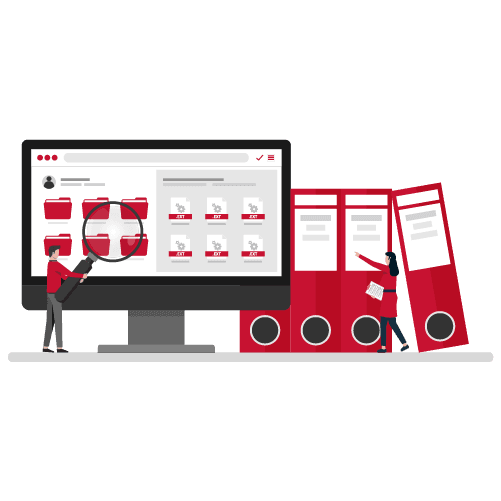
Better Performance & Reliability
Avoid unnecessary frustration caused by unsuitable or ageing equipment, with business computers selected for their intended use.

Support Flexible Working
Give employees appropriate devices for working in the office, at home or on customer visits, with access to business applications and files through suitable cloud and hosted services.

Easier IT Management
Keep your computer hardware aligned with your wider business software, security requirements and ongoing business IT support.
Business Computers & Equipment to Suit Your Team
Business Laptop Computers
Portable laptops for employees who work between offices, attend meetings, visit customers or need flexibility to work remotely.
Business Desktop PCs
Reliable desktop computers for office-based employees who need a dedicated workstation for everyday business applications.
High-Performance Workstations
Specialist computers with suitable processing power, memory and graphics capabilities for demanding applications such as CAD, design and technical software.
Laptop Docking Stations
Connect compatible business laptops to monitors, keyboards, networking and other office equipment to create a practical desk-based working setup.
Thin Clients & Compact PCs
Space-saving computing devices for suitable office environments, shared workstations and centrally managed IT systems.
Monitors & Computer Accessories
Complete your business computer setup with suitable displays, keyboards, mice and other accessories to support comfortable, productive working.
Business Laptops or Desktop Computers – Which Is Right for You?
Choosing between a business laptop and desktop computer depends on how your employees work, the applications they use and their performance requirements.
Business laptops offer flexibility for employees working between the office, home and customer locations. With a compatible docking station, they can also connect to monitors, keyboards and other office equipment.
Desktop computers are ideal for fixed workstations, offering reliable performance for everyday business tasks. More powerful workstations are available for demanding applications such as CAD, engineering and design software.
When choosing new computers, it’s also important to consider memory, storage, security, software compatibility and Windows 11 requirements.
Digicomm 360 can help you select the right laptops, desktops and workstations for your business, with expert advice and ongoing IT support.
Why Choose Digicomm 360 for Business Computers?
Buying computers for your business should be straightforward. Digicomm 360 can help you make informed decisions about the hardware your employees need.

Expert Hardware Advice
Get practical guidance on choosing suitable laptops, desktop PCs and computer specifications for your business.
Business Software Compatibility
Choose computer hardware that supports the software your employees use every day, including Microsoft 365 and other essential business applications.
Maintenance & IT Support
Get help with ongoing computer maintenance, software updates, troubleshooting and technical support.
Computers Tailored to Your Needs
Select equipment based on how your employees work, the applications they use and your available budget.
Device Security Guidance
Protect business devices with appropriate security measures, including access controls, regular updates and AI-powered antivirus protection.
One IT & Telecoms Partner
Bring computer hardware, business software, connectivity and ongoing IT support together with one technology provider.
We can also help businesses prepare for Cyber Essentials certification by reviewing relevant IT security controls and device requirements.
Frequently Asked Questions
What is the difference between a business laptop and a desktop computer?
A business laptop is portable and suitable for employees who work in different locations. A desktop computer is generally designed for use at a fixed workstation. Both are available in a range of specifications, and the best choice depends on your employees’ working arrangements and software requirements.
What specifications should a business computer have?
The right specifications depend on the applications being used. Important considerations include processor performance, RAM, storage capacity, operating system compatibility, connectivity and security features. Employees using demanding applications such as CAD or design software may need more powerful hardware.
Can I connect a business laptop to office monitors and equipment?
Yes. Many business laptops can connect to compatible docking stations, monitors, keyboards, mice and other peripherals. This allows employees to use their laptop as part of a desk-based setup while retaining the flexibility to work elsewhere.
Can Digicomm 360 help with computer maintenance and IT support?
Yes. Digicomm 360 provides business IT support and can help organisations with computer maintenance, updates, troubleshooting and wider technology requirements. The exact support arrangements can be discussed based on your business needs.
Find the Right Computers for Your Business
Whether you’re replacing ageing office PCs, equipping new employees or upgrading to more powerful workstations, Digicomm 360 can help you choose the right equipment.
Looking to Get More from Your Business Technology?
AI is rapidly becoming part of everyday business, but with another monthly licence to consider, many organisations are asking the same question: is...
Artificial Intelligence is changing the way businesses work. AI for Business is no longer just for large organisations with dedicated IT...

Software vulnerabilities continue to be one of the most common causes of cyber security incidents across the UK. Following a recent cyber attack...

At Digicomm 360, we’re always looking for ways to improve the proactive IT support service we deliver to our customers. Technology never...
Multi-Factor Authentication (MFA) is now a mandatory requirement for businesses using cloud systems, and it’s one of the most important steps you...

Shadow AI is already appearing in businesses everywhere – often without anyone realising. Employees are increasingly using AI tools like...

The PDF still matters in modern UK work PDFs sit everywhere in UK business. You see them in contracts, tenders, safeguarding policies and onboarding...
Windows 11 for business represents Microsoft’s most security-focused operating system yet. Designed for modern workplaces, it supports hybrid...
Microsoft 365 Copilot is changing how UK businesses use familiar tools like Outlook, Word, Excel, and Teams. Instead of adding another system to...
Microsoft 365 Copilot: What the Office Name Change Means for Your Business You may have recently noticed Microsoft Office being referred to...
Customer Testimonials








Send us a Quick Message
By submitting this form, you agree that Digicomm 360 Ltd may use the information provided to respond to your enquiry and discuss relevant products and services. Your information will be processed in accordance with our Privacy Policy.