Shadow AI is already appearing in businesses everywhere – often without anyone realising.
Employees are increasingly using AI tools like ChatGPT, Gemini and other assistants to help with everyday work tasks. These tools can summarise documents, generate emails, write reports and speed up research.
While this can boost productivity inside Microsoft 365, it also introduces new risks. When AI tools are used without visibility or governance from IT teams, organisations can lose control of how sensitive information is handled.
This growing challenge is known as Shadow AI, and it is already affecting businesses of all sizes.
What is Shadow AI?
Shadow AI happens when employees use artificial intelligence tools for work without approval, monitoring or governance from their organisation’s IT department.
Most of the time this isn’t intentional. Staff are simply trying to work more efficiently.
For example, an employee might:
Paste a report into an AI tool to summarise it
Use AI to help write a proposal or email
Analyse data using an AI assistant
Generate marketing copy or presentations
The problem is that many public AI tools store or process the information that users provide. This means confidential company data could leave the organisation without anyone knowing.
According to Microsoft security guidance, organisations need visibility into how AI tools are being used to prevent sensitive information being shared unintentionally.
Why Shadow AI creates risks for businesses
When Shadow AI tools are used without governance, businesses lose visibility into how company data is being handled.
Some of the most common risks include:
Confidential documents being uploaded to external AI tools
Customer or employee data being shared unintentionally
Intellectual property leaving the organisation
Compliance risks related to GDPR or data governance
Lack of control over how information is stored or reused
Even well-intentioned employees can accidentally expose sensitive information when they paste internal documents into AI chatbots or analysis tools.
This is why businesses are beginning to focus on Shadow AI governance, rather than simply blocking AI tools completely.
The goal isn’t to stop AI
Artificial intelligence is becoming a standard part of modern business operations.
From marketing teams creating content to finance teams analysing reports, AI tools are helping organisations work more efficiently.
Trying to block AI entirely is rarely practical.
Instead, businesses need to enable AI safely, ensuring employees can benefit from new technology while keeping company data protected.
This requires visibility into:
Which AI tools employees are using
What information is being shared with those tools
Whether sensitive data is leaving the organisation
How AI can be used securely within company policies
How Microsoft helps manage Shadow AI
Microsoft provides security and governance tools that help organisations monitor and control AI usage across their systems.
Two of the most important tools are Microsoft Defender and Microsoft Purview.
Microsoft Purview
Microsoft Purview helps organisations understand how data is being used and shared across their environment.
It can help businesses:
Discover which AI tools employees are using
Monitor how information is shared with AI platforms
Automatically label sensitive files
Apply protection policies to confidential documents
PDFs sit everywhere in UK business. You see them in contracts, tenders, safeguarding policies and onboarding packs. Layout stays stable across devices, which keeps documents consistent and credible. That reliability explains why teams still lean on PDFs, even with so many cloud tools around. In that world, Adobe Acrobat Pro PDF software becomes less of a “nice extra” and more of a working platform for documents. Most people think Acrobat Pro only “edits PDFs”. Yet the real value comes from what it controls. It controls how you create, secure, share, sign and govern documents. That matters when you work with client data, regulated processes, or remote teams.
PDFs became popular because they remove friction
A PDF behaves the same way on Windows, Mac, iOS and Android. That reduces rework. It also reduces misunderstandings. You can send a PDF to a supplier and trust what they see matches what you approved. Another driver comes from compliance culture. Organisations want an audit trail. They want version certainty. They want fewer “who changed this” arguments. PDF workflows support that mindset, especially when you lock files, track changes and manage signatures in a consistent way.
Adobe Acrobat Pro PDF software as a document workflow hub
Acrobat Pro covers the full document life cycle. You create a PDF from Word, PowerPoint, images, scans and emails. You then organise pages, add headings, include bookmarks and keep the file easy to navigate. You can also compare two versions to spot changes quickly, which helps when legal wording shifts late in the day. Conversion works both ways too. You can export a PDF back into Word or Excel when you need to edit source content. That saves time when a client sends you the “final” document in PDF form. Forms matter as well. Acrobat Pro supports interactive forms, which means you can turn a static document into a structured, fillable file. That helps HR, finance, schools and membership organisations who rely on repeated templates.
Security that matches real UK risks
Security starts with controlling access. Acrobat Pro lets you password-protect files and set permissions for printing, copying, and editing. That helps when you share documents outside your organisation. Redaction deserves special attention, because many teams do it the wrong way. A black rectangle drawn over text does not remove the data. Proper redaction removes the content. Acrobat Pro also highlights an important detail: redaction removes visible content, while hidden data needs sanitising too. That distinction matters when you manage personal data under UK GDPR and the Data Protection Act 2018. If you handle safeguarding records, medical information, legal material, or financial data, you need tools that remove risk rather than create a false sense of safety. Redaction and sanitisation give you that control when you apply them correctly.
Electronic signatures and what “legal” really means in the UK
E-signatures often feel like a grey area. UK guidance makes it clearer. Different signature types exist, with different assurance levels. Simple e-signatures can work for many everyday agreements, while higher-assurance signatures exist for higher-risk contexts. Acrobat Pro connects with Adobe’s e-signature capability, which supports signature requests, reminders and tracking. That tracking helps teams push agreements over the line, especially when multiple parties sign in sequence. Some transactions come with extra requirements. HM Land Registry, for example, explains which electronic signatures it accepts and where it applies specific conditions. That kind of detail matters when you operate in property, conveyancing, or adjacent services. A practical rule helps here. Match the signature method to the risk. Use stronger identity checks for higher-risk documents. Keep evidence of intent and consent. Store the signed file with a clear audit trail.
Accessibility and why PDFs can let you down
PDFs can support accessibility well, yet many organisations publish inaccessible PDFs. That creates barriers for users with disabilities. It also creates compliance risk for public sector bodies, because the UK accessibility regulations require public sector websites and apps to meet accessibility standards and publish an accessibility statement. Acrobat Pro includes tools that help you improve accessibility. You can add tags, set reading order, add alt text, and run checks that flag common issues. Those steps help screen readers interpret the document properly. Better accessibility also improves usability for everyone. Tagged PDFs search better. They navigate faster. They feel less frustrating on mobile. That makes your documents more “workable”, even for people without accessibility needs.
Collaboration without the version chaos
Modern work needs shared review. Email chains create confusion because people comment on different versions. Acrobat Pro supports commenting and review workflows so everyone marks up the same file. That reduces duplicated effort and avoids missed feedback. Cloud integration matters too. Many teams store documents in SharePoint or OneDrive. A PDF workflow works best when storage stays central and controlled. That approach also supports governance. You can see who accessed what, and you can keep permissions aligned with your wider IT controls.
Everyday use cases that make Acrobat Pro feel “worth it”
You get the most value when you use Acrobat Pro as a process tool rather than a rescue tool. It supports repeatable outcomes, which means less firefighting. Here are practical examples that suit UK teams:
You prepare contracts and proposals, then track signatures and store the signed copy with an audit trail.
You redact personal data correctly before sharing documents externally, including sanitising hidden data when needed.
You convert scans into usable text through OCR, which helps when you inherit paper records or scanned evidence.
You standardise onboarding forms and client intake forms, so data arrives cleanly and consistently.
You check accessibility before publishing PDFs on your site, which supports compliance and user experience. Notice the theme. Each example reduces time waste. Each one lowers risk. Each one improves clarity for the people on the receiving end.
A quick “do this first” checklist for safer PDFs
Many problems come from small habits. A few changes improve your output quickly.
First, use real redaction rather than visual cover-ups.
Next, apply passwords and permissions when you share externally.
Then, name files consistently and store them centrally, so staff stop keeping private versions.
After that, add basic accessibility structure for public-facing PDFs.
Finally, keep an agreed signing route, so contracts do not stall.
Acrobat Pro makes the most sense when your documents carry risk, reputation, or revenue. It also suits teams who collaborate on formal documents often. A free PDF viewer can handle reading and basic commenting. It cannot reliably handle compliant redaction, structured accessibility work, controlled permissions, and managed signature workflows in one place. That difference matters in the UK market, because clients expect speed and professionalism. They also expect you to treat their data properly. Acrobat Pro supports that expectation through tools designed for real business use, not casual one-off edits.
Windows 11 for business represents Microsoft’s most security-focused operating system yet. Designed for modern workplaces, it supports hybrid working, cloud integration, and stronger protection against today’s cyber threats. For UK organisations managing compliance, efficiency, and user experience, that matters more than ever.
Technology no longer sits quietly in the background. It shapes how teams collaborate, how data stays protected, and how smoothly work gets done.
Why Windows 11 matters for UK business environments
Windows 11 builds security into the operating system by default. Hardware-based protection, secure boot, and advanced identity controls support organisations operating under UK GDPR expectations. These features reduce reliance on bolt-on security tools and lower overall risk.
At the same time, Windows 11 improves usability. The interface feels cleaner. Navigation feels faster. Multitasking tools support modern working patterns across offices and home environments throughout England.
Security improvements built for today’s threats
Cyber risks continue to evolve. Phishing, ransomware, and credential theft remain common attack methods across UK businesses. Windows 11 addresses these risks at system level.
Microsoft requires compatible hardware that supports TPM 2.0. That requirement enables stronger encryption and device integrity checks. As a result, compromised devices become harder to exploit.
Two notable security benefits include:
Hardware-backed protection against firmware attacks
Improved identity protection using Microsoft Entra ID
These protections support organisations handling sensitive data without increasing complexity for end users.
Productivity gains that reduce friction
Windows 11 focuses on helping people work with less interruption. Snap layouts organise multiple applications quickly. Virtual desktops separate different workstreams. Performance improvements reduce lag on supported hardware.
Small usability changes make a real difference over time. Teams switch tasks faster. Meetings feel smoother. Daily frustration drops. That experience impacts morale as much as efficiency.
Compatibility and application support
Most business applications that run on Windows 10 run on Windows 11. Microsoft designed the transition to minimise disruption. However, testing remains essential, especially for legacy or industry-specific software.
A structured upgrade approach helps avoid surprises. Device assessment, application testing, and user readiness all play a role. Digicomm 360 supports organisations reviewing hardware and software suitability as part of their hardware and software services:
Hybrid working and cloud integration
Windows 11 works seamlessly with Microsoft 365 and cloud management tools. Devices can be configured remotely. Security policies stay consistent. Updates roll out without manual intervention.
For UK organisations managing dispersed teams, that flexibility supports resilience. Staff stay productive wherever they work, without compromising security standards.
Preparing for the future of Windows support
Windows 10 reaches end of support in October 2025. That deadline matters. Unsupported systems increase risk and limit compliance options. Planning early avoids rushed upgrades later.
Windows 11 positions organisations for long-term support, improved security updates, and better integration with evolving Microsoft services.
Is Windows 11 the right move now
Windows 11 suits organisations ready to modernise their device estate. Businesses already using Microsoft 365 benefit most. Where hardware meets requirements, the upgrade delivers immediate security and usability improvements.
For decision-makers, the question is not just about software. It’s about risk management, workforce experience, and future readiness. A planned transition reduces disruption and maximises return.
Microsoft provides detailed guidance on Windows 11 security architecture and requirements here!
Microsoft 365 Copilot: What the Office Name Change Means for Your Business
You may have recently noticed Microsoft Office being referred to differently across your apps and dashboards. This change reflects Microsoft’s latest update to its productivity platform, placing Microsoft 365 Copilot AI tools more centrally within the Microsoft 365 experience.
If you’re wondering what this means for your business and whether you need to take action, here’s a clear explanation without the hype.
Why Microsoft Has Updated the Office Brand to Microsoft 365 Copilot
Microsoft has repositioned its Office apps under a new naming structure that highlights its AI assistant.
Instead of seeing “Office” or “Office 365”, users may now encounter:
A Microsoft 365 app experience with Copilot features
AI tools appearing in Word, Excel, PowerPoint, Outlook and Teams
Office.com redirecting to Microsoft 365 plans that reference Copilot functionality
What the Microsoft 365 Copilot Experience Actually Does
The AI assistant built into Microsoft 365 is designed to support everyday work, not replace it.
Depending on your licence, features may include:
Drafting and summarising documents
Analysing data in Excel
Creating presentations more quickly
Summarising meetings and emails
Finding information across Microsoft 365 apps
Are Word, Excel and Outlook Still the Same?
Yes, the familiar Office applications are still there and continue to work exactly as before.
The change is largely about how Microsoft presents and integrates Microsoft 365 CopilotAI tools, rather than removing or replacing core software. Businesses can continue using Word, Excel, PowerPoint and Outlook without enabling AI features.
Addressing Privacy and Control Concerns about Microsoft 365 Copilot
Some online discussion has raised concerns about privacy and AI tools. For business users, it’s important to understand that:
AI features operate within existing Microsoft 365 security controls
Data access follows user permissions and policies
Advanced features require specific licences
AI tools can be restricted or disabled if required
Microsoft provides detailed guidance on managing these settings, allowing organisations to remain in control of how features are used.
What Microsoft 365 Copilot Means for UK Businesses
For most organisations, there’s no immediate impact:
Your Microsoft 365 setup remains unchanged
Staff can continue working as normal
AI tools are optional, not forced
Files, emails and permissions stay the same
For businesses that choose to explore Microsoft 365 Copilot AI features, the benefits are often seen in time-saving tasks, reporting, and collaboration – particularly in admin-heavy roles.
Reviewing Your Microsoft 365 Setup
This change provides a good opportunity to review:
Microsoft 365 licences and inclusions
Which users (if any) should access AI features
Security and privacy settings
Staff guidance and training needs
A structured review helps ensure you’re paying for the right tools – and only using what adds value.
How Digicomm 360 Supports Microsoft 365 Copilot Customers
Digicomm 360 supports businesses with Microsoft 365 planning, setup and ongoing support.
Microsoft’s updated naming reflects the future direction of workplace software – but it doesn’t require businesses to change how they work overnight.
With the right advice and setup, AI tools can be introduced sensibly, securely, and only where they add value.
If you’d like to review your Microsoft 365 environment or discuss whether Copilot features are right for your organisation, we’re here to help. Get in touch with the experts today.
IT Equipment Finance vs Leasing: What’s Right for UK Businesses?
Modern businesses rely heavily on technology – from IT infrastructure and networking to telecoms systems, cloud telephony, and mobile devices. But when it comes to investing in new technology, many UK businesses face the same question: should we finance IT equipment, lease it, or buy outright? Let’s explore IT Equipment Finance vs Leasing.
Understanding the difference between IT equipment finance and leasing can help businesses make smarter decisions, protect cash flow, and invest in technology that supports long-term growth.
This guide explains the options clearly, without jargon, so you can decide what works best for your organisation.
Why UK Businesses Are Turning to IT & Telecoms Finance
Technology moves fast. Buying IT and telecoms equipment outright can leave businesses exposed to:
Large upfront capital costs
Reduced cash flow
Equipment becoming outdated before it’s fully depreciated
Rather than tying up working capital, businesses pay predictable monthly amounts while using the technology immediately.
What Is IT Equipment Finance?
IT equipment finance allows businesses to purchase technology using funding spread over an agreed term.
How it works:
You select the IT or telecoms equipment you need
The cost is spread over fixed monthly payments
At the end of the agreement, you typically own the equipment
Best suited for:
Core IT infrastructure
Hardware with a longer lifespan
Businesses wanting ownership at the end of the term
Benefits:
Preserves working capital
Predictable budgeting
Ownership of assets
Can align repayments with business growth
IT equipment finance is popular with businesses investing in servers, networking equipment, desktops, laptops, and telecoms hardware that will remain in use for several years.
What Is IT & Telecoms Leasing?
Leasing allows businesses to use technology without owning it outright.
How leasing works:
Equipment is leased for a fixed period
Monthly payments cover usage
At the end of the term, you may upgrade, extend, or replace the equipment
Best suited for:
Fast-moving technology
Telecoms systems and devices
Businesses that value flexibility and upgrades
Benefits:
Lower upfront costs
Access to the latest technology
Reduced risk of obsolescence
Easier upgrades as needs change
Leasing is particularly effective for telecoms systems, cloud telephony hardware, mobile devices, and rapidly evolving IT environments.
IT Equipment Finance vs Leasing: Key Differences
Aspect
Finance
Leasing
Ownership
Typically yes
No
Upfront cost
Low
Low
Monthly payments
Fixed
Fixed
Upgrade flexibility
Limited
High
Obsolescence risk
Higher
Lower
Ideal for
Long-term assets
Fast-changing tech
There is no “one size fits all” answer – the best option depends on your business goals, cash flow, and technology strategy.
Buying IT Equipment Outright: Is It Still Worth It?
Paying cash upfront may still suit some organisations, but it comes with risks:
Capital tied up in depreciating assets
Reduced flexibility
Less ability to respond to change
For many UK businesses, buying outright is now reserved for smaller purchases or non-critical equipment, while IT and telecoms finance or leasing is used for core systems.
Choosing finance or leasing is not just a financial decision – it’s a strategic one.
Key advantages include:
Improved cash flow – capital stays available for growth
Better budgeting – predictable monthly costs
Faster deployment – no delays waiting for capital approval
Future-proofing – easier access to upgrades and modern systems
This approach allows businesses to focus on performance, productivity, and people – not just upfront costs.
IT Equipment Finance vs Leasing: Which Option Is Right for Your Business?
Ask yourself:
How long will we use this technology?
How quickly will it become outdated?
Do we want ownership or flexibility?
How important is cash flow?
Many organisations use a blended approach, financing long-term IT assets while leasing telecoms or user devices.
IT Equipment Finance vs Leasing: Getting Expert Advice Makes the Difference
Understanding IT equipment finance and leasing options can feel complex, especially when different providers and agreement types are involved.
Working with an experienced IT & telecoms partner helps ensure:
The right funding model is chosen
Costs align with business needs
Technology decisions support long-term strategy
If you’re exploring IT & telecoms finance and leasing, professional advice ensures your technology investment works harder for your business.
IT Equipment Finance vs Leasing: Ready to explore your options?
If you’d like tailored guidance on IT & telecoms finance and leasing, speak to a specialist who can assess your needs and recommend the right approach.
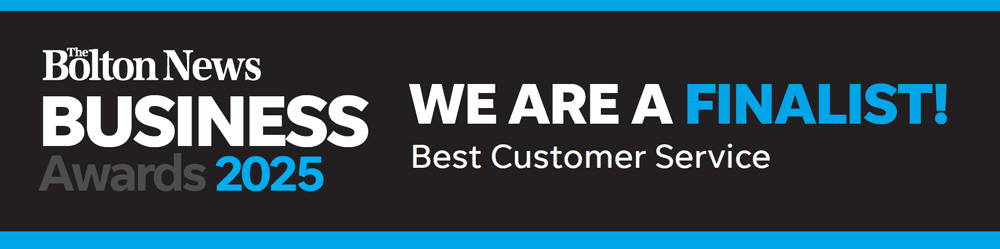
We’re delighted to share some exciting news – Digicomm360 has been shortlisted as a finalist in the Best Customer Service Bolton category at the Bolton News Business Awards 2025.
This is a huge moment for our team and a proud milestone in our journey as a Bolton-based IT and telecoms provider. To be recognised for something we care so deeply about – our customer service – means everything to us.
Recognising Bolton’s Best Customer Service!
The Bolton News Business Awards celebrate the outstanding achievements of businesses across the town. These awards highlight the hard work, dedication, and innovation happening every day behind the scenes in local organisations.
Being named a finalist for Best Customer Service, Boltonis already a win in our eyes. We’re proud to be in such great company, and even more proud to represent the tech and telecoms industry in Bolton – a town that’s full of ambition and energy.
What the Nomination Means to Digicomm360
Our customers are at the heart of everything we do. Being recognised in the Best Customer Service Bolton category tells us we’re doing things right – that our approach of being responsive, honest and truly helpful is making a difference.
This nomination is not just a reward for our efforts; it’s encouragement to keep raising the bar. In a fast-paced industry, where challenges are often time-critical, customer service can make or break a business. For us, it’s the backbone of every project, every support ticket and every phone call.
The Big Night: Awards Evening Details
The awards ceremony will take place on Friday, 26th September 2025, at the iconic Toughsheet Stadium, home of Bolton Wanderers. The evening promises to be a true celebration, with glitz, glamour and some of the most inspiring stories in local business.
Doors open: 6:30 pm Dinner served: 7:00 pm (Three-course meal) Host: Elaine Willcox, ITV News Correspondent and Editor Dress code: Black Tie Entertainment: To follow after the awards
Let’s celebrate Best Customer Service Bolton in style and give a well-earned spotlight to our region’s hardworking businesses.
Best Customer Service Bolton – Why Customer Service Still Matters
In our industry, tech changes constantly. However, one thing that never goes out of date is excellent customer service. We are so proud to be finalists as Best Customer Service in Bolton.
Whether it’s helping a small business set up a new cloud telephony system or supporting a large organisation through a complex IT upgrade, we treat every customer with the same level of care. We don’t just fix problems – we build relationships.
At Digicomm360, we pride ourselves on being:
Friendly and approachable
Quick to respond
Clear in our communication
Flexible to your needs
Proactive with advice
Always just a phone call away
This nomination is a reflection of the way we work – and the trust our clients place in us.
A Team Effort Worth Celebrating
This recognition wouldn’t be possible without our incredible team. Every engineer, support agent, project lead and administrator plays a part in making our customer experience the best it can be.
We’re a close-knit team who genuinely care about doing the right thing – not just ticking boxes. And that passion shines through in the feedback we receive:
“The Digicomm360 team are amazing – fast, friendly, and really know their stuff. We trust them completely.”
“If something goes wrong, they’re on it straight away. It’s like having our own in-house IT team.”
“You don’t get customer service like this anymore. They’ve looked after us for years.”
We’re proud of our people. They make Digicomm360 what it is.
Recent Award Win Highlights Our Dedication to Customers
In 2024, we were honoured to win a national industry award recognising our technical expertise and commitment to service. Judges praised Digicomm360 for building a remarkable team with deep product knowledge and an unwavering dedication to delivering high-quality service to customers. Read the full article here. Now, this award for Best Customer Service in Bolton is testimony to us as a great company.
This achievement further reinforces our place as a finalist in the Best Customer Service category and highlights our team’s consistent efforts to go above and beyond.
Bolton’s Future is Bright
As we look ahead, we’re excited about what’s to come – not just for Digicomm360, but for Bolton as a whole.
The town is full of ambitious businesses doing brilliant work, and the Bolton News Business Awards are a fantastic opportunity to shine a light on their efforts. We’re honoured to be included for Best Customer Service in Bolton.
We’re also continuing to expand our services, improve our systems and invest in the people and tech that help our clients thrive. As we grow, our commitment to top-tier customer service will remain our top priority.
Final Thoughts from Team Digicomm360
At the heart of it, this nomination is a reminder of why we do what we do – because people matter. Technology is only ever as good as the service that comes with it, and we’re proud to be showing that Bolton businesses can lead the way in combining both. Whatever happens on awards night, we’ll keep focusing on delivering solutions that make a real difference to our clients’ day-to-day lives and their long-term success.
We want to thank all our amazing clients for your continued support, loyalty and kind words. Whether you’ve worked with us for a decade or a day, you’re part of this success.
We also want to thank The Bolton News and Bolton Council for recognising local businesses and organising this brilliant event.
Whether we take home the trophy or not, we already feel like winners. Why? Because we’ve stayed true to our values – and it’s working.
Work With Us for the Best Customer Service in Bolton
Looking for an IT or telecoms partner who genuinely cares? We’re here to help.