PDFs sit everywhere in UK business. You see them in contracts, tenders, safeguarding policies and onboarding packs. Layout stays stable across devices, which keeps documents consistent and credible. That reliability explains why teams still lean on PDFs, even with so many cloud tools around. In that world, Adobe Acrobat Pro PDF software becomes less of a “nice extra” and more of a working platform for documents. Most people think Acrobat Pro only “edits PDFs”. Yet the real value comes from what it controls. It controls how you create, secure, share, sign and govern documents. That matters when you work with client data, regulated processes, or remote teams.
PDFs became popular because they remove friction
A PDF behaves the same way on Windows, Mac, iOS and Android. That reduces rework. It also reduces misunderstandings. You can send a PDF to a supplier and trust what they see matches what you approved. Another driver comes from compliance culture. Organisations want an audit trail. They want version certainty. They want fewer “who changed this” arguments. PDF workflows support that mindset, especially when you lock files, track changes and manage signatures in a consistent way.
Adobe Acrobat Pro PDF software as a document workflow hub
Acrobat Pro covers the full document life cycle. You create a PDF from Word, PowerPoint, images, scans and emails. You then organise pages, add headings, include bookmarks and keep the file easy to navigate. You can also compare two versions to spot changes quickly, which helps when legal wording shifts late in the day. Conversion works both ways too. You can export a PDF back into Word or Excel when you need to edit source content. That saves time when a client sends you the “final” document in PDF form. Forms matter as well. Acrobat Pro supports interactive forms, which means you can turn a static document into a structured, fillable file. That helps HR, finance, schools and membership organisations who rely on repeated templates.
Security that matches real UK risks
Security starts with controlling access. Acrobat Pro lets you password-protect files and set permissions for printing, copying, and editing. That helps when you share documents outside your organisation. Redaction deserves special attention, because many teams do it the wrong way. A black rectangle drawn over text does not remove the data. Proper redaction removes the content. Acrobat Pro also highlights an important detail: redaction removes visible content, while hidden data needs sanitising too. That distinction matters when you manage personal data under UK GDPR and the Data Protection Act 2018. If you handle safeguarding records, medical information, legal material, or financial data, you need tools that remove risk rather than create a false sense of safety. Redaction and sanitisation give you that control when you apply them correctly.
Electronic signatures and what “legal” really means in the UK
E-signatures often feel like a grey area. UK guidance makes it clearer. Different signature types exist, with different assurance levels. Simple e-signatures can work for many everyday agreements, while higher-assurance signatures exist for higher-risk contexts. Acrobat Pro connects with Adobe’s e-signature capability, which supports signature requests, reminders and tracking. That tracking helps teams push agreements over the line, especially when multiple parties sign in sequence. Some transactions come with extra requirements. HM Land Registry, for example, explains which electronic signatures it accepts and where it applies specific conditions. That kind of detail matters when you operate in property, conveyancing, or adjacent services. A practical rule helps here. Match the signature method to the risk. Use stronger identity checks for higher-risk documents. Keep evidence of intent and consent. Store the signed file with a clear audit trail.
Accessibility and why PDFs can let you down
PDFs can support accessibility well, yet many organisations publish inaccessible PDFs. That creates barriers for users with disabilities. It also creates compliance risk for public sector bodies, because the UK accessibility regulations require public sector websites and apps to meet accessibility standards and publish an accessibility statement. Acrobat Pro includes tools that help you improve accessibility. You can add tags, set reading order, add alt text, and run checks that flag common issues. Those steps help screen readers interpret the document properly. Better accessibility also improves usability for everyone. Tagged PDFs search better. They navigate faster. They feel less frustrating on mobile. That makes your documents more “workable”, even for people without accessibility needs.
Collaboration without the version chaos
Modern work needs shared review. Email chains create confusion because people comment on different versions. Acrobat Pro supports commenting and review workflows so everyone marks up the same file. That reduces duplicated effort and avoids missed feedback. Cloud integration matters too. Many teams store documents in SharePoint or OneDrive. A PDF workflow works best when storage stays central and controlled. That approach also supports governance. You can see who accessed what, and you can keep permissions aligned with your wider IT controls.
Everyday use cases that make Acrobat Pro feel “worth it”
You get the most value when you use Acrobat Pro as a process tool rather than a rescue tool. It supports repeatable outcomes, which means less firefighting. Here are practical examples that suit UK teams:
You prepare contracts and proposals, then track signatures and store the signed copy with an audit trail.
You redact personal data correctly before sharing documents externally, including sanitising hidden data when needed.
You convert scans into usable text through OCR, which helps when you inherit paper records or scanned evidence.
You standardise onboarding forms and client intake forms, so data arrives cleanly and consistently.
You check accessibility before publishing PDFs on your site, which supports compliance and user experience. Notice the theme. Each example reduces time waste. Each one lowers risk. Each one improves clarity for the people on the receiving end.
A quick “do this first” checklist for safer PDFs
Many problems come from small habits. A few changes improve your output quickly.
First, use real redaction rather than visual cover-ups.
Next, apply passwords and permissions when you share externally.
Then, name files consistently and store them centrally, so staff stop keeping private versions.
After that, add basic accessibility structure for public-facing PDFs.
Finally, keep an agreed signing route, so contracts do not stall.
Acrobat Pro makes the most sense when your documents carry risk, reputation, or revenue. It also suits teams who collaborate on formal documents often. A free PDF viewer can handle reading and basic commenting. It cannot reliably handle compliant redaction, structured accessibility work, controlled permissions, and managed signature workflows in one place. That difference matters in the UK market, because clients expect speed and professionalism. They also expect you to treat their data properly. Acrobat Pro supports that expectation through tools designed for real business use, not casual one-off edits.
Windows 11 for business represents Microsoft’s most security-focused operating system yet. Designed for modern workplaces, it supports hybrid working, cloud integration, and stronger protection against today’s cyber threats. For UK organisations managing compliance, efficiency, and user experience, that matters more than ever.
Technology no longer sits quietly in the background. It shapes how teams collaborate, how data stays protected, and how smoothly work gets done.
Why Windows 11 matters for UK business environments
Windows 11 builds security into the operating system by default. Hardware-based protection, secure boot, and advanced identity controls support organisations operating under UK GDPR expectations. These features reduce reliance on bolt-on security tools and lower overall risk.
At the same time, Windows 11 improves usability. The interface feels cleaner. Navigation feels faster. Multitasking tools support modern working patterns across offices and home environments throughout England.
Upgrading to Windows 11 is not just about accessing new features. It is also about reducing exposure to security risks. Our article Software Vulnerabilities: Lessons From The University Cyber Attack explains how cyber criminals exploit outdated software and why keeping systems updated is critical for business security.
Security improvements built for today’s threats
Cyber risks continue to evolve. Phishing, ransomware, and credential theft remain common attack methods across UK businesses. Windows 11 addresses these risks at system level.
Microsoft requires compatible hardware that supports TPM 2.0. That requirement enables stronger encryption and device integrity checks. As a result, compromised devices become harder to exploit.
Two notable security benefits include:
Hardware-backed protection against firmware attacks
Improved identity protection using Microsoft Entra ID
These protections support organisations handling sensitive data without increasing complexity for end users.
Small usability changes make a real difference over time. Teams switch tasks faster. Meetings feel smoother. Daily frustration drops. That experience impacts morale as much as efficiency.
Compatibility and application support
Most business applications that run on Windows 10 run on Windows 11. Microsoft designed the transition to minimise disruption. However, testing remains essential, especially for legacy or industry-specific software.
A structured upgrade approach helps avoid surprises. Device assessment, application testing, and user readiness all play a role. Digicomm 360 supports organisations reviewing hardware and software suitability as part of their hardware and software services:
Hybrid working and cloud integration
Windows 11 works seamlessly with Microsoft 365 and cloud management tools. Devices can be configured remotely. Security policies stay consistent. Updates roll out without manual intervention.
For UK organisations managing dispersed teams, that flexibility supports resilience. Staff stay productive wherever they work, without compromising security standards.
Preparing for the future of Windows support
Windows 10 reaches end of support in October 2025. That deadline matters. Unsupported systems increase risk and limit compliance options. Planning early avoids rushed upgrades later.
Windows 11 positions organisations for long-term support, improved security updates, and better integration with evolving Microsoft services.
Is Windows 11 the right move now
Windows 11 suits organisations ready to modernise their device estate. Businesses already using Microsoft 365 benefit most. Where hardware meets requirements, the upgrade delivers immediate security and usability improvements.
For decision-makers, the question is not just about software. It’s about risk management, workforce experience, and future readiness. A planned transition reduces disruption and maximises return.
Microsoft provides detailed guidance on Windows 11 security architecture and requirements here!
Useful Reading
Many businesses are still relying on ageing systems without realising the risks involved. At Digicomm 360, we help organisations plan smooth upgrades and provide ongoing IT support to keep systems secure, efficient and fully supported. Explore our Business IT Support & Maintenance services to see how we can help manage your transition to Windows 11.
Windows 11 works seamlessly alongside modern Microsoft applications and cloud services, helping businesses create a more connected and productive workplace. Combined with Microsoft 365, businesses can benefit from improved collaboration, security and remote working capabilities.
Cyber threats continue to evolve, and unsupported operating systems can become an easy target for attackers. Windows 11 includes advanced security features designed for modern businesses, but a layered approach is always recommended. Learn more about our Cyber Security solutions and how we help protect businesses across the UK.
Not every older PC will support Windows 11 requirements, which means some businesses may also need to review their existing equipment. Digicomm 360 can supply and support reliable business hardware and software to ensure your systems are ready for the future.
Businesses investing in Windows 11 are often also exploring AI-powered tools to improve productivity and efficiency. Modern systems are better prepared for technologies like Microsoft 365 Copilot, helping teams work smarter with AI assistance built directly into everyday applications.
Further Reading
Upgrading to Windows 11 is more than a software update – it’s an opportunity to improve security, productivity and long-term business performance. These related articles can help you prepare for a smooth transition.
Proactive IT Support – Discover how proactive monitoring and expert IT support can help you manage upgrades, reduce downtime and keep your business running efficiently.
The End of Windows 10: What It Means for You and Your Business – Find out what Microsoft’s Windows 10 end-of-support means for your organisation and why planning ahead is essential.
Microsoft 365 Copilot is changing how UK businesses use familiar tools like Outlook, Word, Excel, and Teams. Instead of adding another system to learn, it works inside the software many teams already use every day. That shift matters. It reduces friction, improves adoption, and helps people focus on work that actually needs human thinking.
For organisations across England, productivity pressure keeps growing. Teams juggle emails, meetings, reports, and data. Time feels tight. Copilot steps in as an AI-powered assistant that supports daily tasks while respecting Microsoft’s enterprise-grade security framework.
Microsoft Copilot is designed to work alongside the tools businesses already use every day, including Outlook, Teams, Word and Excel. Combined with Microsoft 365, Copilot helps organisations improve productivity, collaboration and workflow efficiency.
What Microsoft 365 Copilot actually does in real working life
Copilot pulls context from your Microsoft 365 environment. It reads emails you already have permission to access. Scans documents stored in SharePoint or OneDrive. It understands meetings recorded in Teams. Then it helps users act on that information faster.
Rather than replacing staff, Copilot reduces digital noise. Emails get summarised. Meetings turn into action points. Draft documents appear in seconds, ready for human review. Crucially, users stay in control. Copilot suggests. People decide.
As AI tools become more widely adopted, businesses must also consider data protection, permissions and security policies. Our Cyber Security solutions help organisations use modern technology safely and responsibly.
That distinction matters for UK businesses focused on governance, accountability, and compliance. A modern workplace setup starts with a secure Windows 11 business upgrade.
Why Copilot fits UK data protection expectations
Data protection remains a serious concern for organisations operating under UK GDPR. Microsoft 365 Copilot does not train public AI models on your business data. It operates within your tenant boundary. Access controls remain unchanged. If someone cannot see a file normally, Copilot cannot see it either.
This design supports regulated sectors across England. Education, healthcare, legal services, and finance benefit from AI assistance without compromising data governance. That reassurance often makes Copilot adoption smoother at board and leadership level.
Introducing AI tools into your organisation works best with the right support and guidance. Digicomm 360 provides proactive Business IT Support & Maintenance to help businesses deploy, manage and support modern Microsoft environments.
How Copilot improves productivity across departments
Different teams feel Copilot’s impact in different ways. Leaders gain fast insights. Admin teams reduce repetitive work. Sales teams prepare faster. Finance teams analyse data with fewer manual steps.
Here are two clear productivity gains UK businesses notice early:
Faster document creation without starting from a blank page
Reduced meeting overload through summaries and task extraction
These changes sound small. Yet over weeks, the time savings stack up.
AI-powered applications perform best on modern, compatible systems. Digicomm 360 can also advise on suitable business hardware and software to support Microsoft Copilot and other advanced workplace technologies.
Microsoft Copilot inside everyday tools
Copilot does not sit on the sidelines. It lives inside Word, Excel, Outlook, PowerPoint, and Teams. That integration lowers the learning curve. Users ask questions in plain English. Copilot responds with content, insights, or structured data.
In Excel, it explains trends without complex formulas. Outlook drafts responses based on conversation history. In Teams, it captures decisions people missed. Each interaction removes friction from daily workflows.
If you’re considering introducing Copilot to your team, the next question is whether the benefits justify the investment. Take a look at our guide to whether Microsoft 365 Copilot is worth it for UK businesses to explore potential time savings, productivity benefits and what to consider before purchasing licences.
Readiness matters more than licensing
Copilot works best when Microsoft 365 environments are well structured. Poor file management limits its usefulness. Weak permissions cause confusion. That reality makes planning essential before rollout.
This is where working with a Microsoft-focused IT partner helps. Digicomm 360 supports organisations preparing their Microsoft environments so tools like Copilot deliver real value, not frustration. You can explore this further on our Microsoft Copilot service page.
AI support without losing human judgement
UK business leaders often worry about accuracy. Copilot reduces effort, not responsibility. Content still needs review. Decisions still need people. That balance keeps AI supportive rather than disruptive.
Used properly, Copilot becomes a thinking partner. It handles drafts, summaries, and analysis. Humans handle nuance, ethics, and final judgement. That combination reflects how most successful UK organisations approach digital transformation.
To get the best experience from modern AI-powered workplace tools, businesses should also ensure their systems are secure and up to date. Upgrading to Windows 11 for Business UK can help businesses prepare for the future of AI-enabled working.
Is Microsoft 365 Copilot right for your organisation
Copilot suits businesses already invested in Microsoft 365. It delivers the strongest results where collaboration matters and information overload slows progress. Organisations with clear governance frameworks benefit most.
If your teams already live in Outlook, Teams, and SharePoint, Copilot feels like a natural extension. When supported correctly, it becomes part of daily working rather than another tool fighting for attention.
For further technical detail on Microsoft’s approach to security and data boundaries, Microsoft’s official documentation provides clarity.
Businesses exploring Microsoft Copilot are often also reviewing their wider communication systems and digital infrastructure. Discover how our cloud telephony solutions help businesses stay connected in modern hybrid workplaces.
Further Reading
Artificial intelligence is changing the way businesses work, but getting the most from AI means balancing productivity with security. Explore these related articles to help your organisation adopt AI with confidence.
AI Teammates in Microsoft Teams – Discover how Microsoft is bringing AI directly into Teams to improve meetings, collaboration and everyday productivity.
Shadow AI Business Security – Learn about the risks of employees using unapproved AI tools and how your business can implement AI safely and securely.
Microsoft 365 Copilot: What the Office Name Change Means for Your Business
You may have recently noticed Microsoft Office being referred to differently across your apps and dashboards. This change reflects Microsoft’s latest update to its productivity platform, placing Microsoft 365 Copilot AI tools more centrally within the Microsoft 365 experience.
If you’re wondering what this means for your business and whether you need to take action, here’s a clear explanation without the hype.
Why Microsoft Has Updated the Office Brand to Microsoft 365 Copilot
Microsoft has repositioned its Office apps under a new naming structure that highlights its AI assistant.
Instead of seeing “Office” or “Office 365”, users may now encounter:
A Microsoft 365 app experience with Copilot features
AI tools appearing in Word, Excel, PowerPoint, Outlook and Teams
Office.com redirecting to Microsoft 365 plans that reference Copilot functionality
What the Microsoft 365 Copilot Experience Actually Does
The AI assistant built into Microsoft 365 is designed to support everyday work, not replace it.
Depending on your licence, features may include:
Drafting and summarising documents
Analysing data in Excel
Creating presentations more quickly
Summarising meetings and emails
Finding information across Microsoft 365 apps
Are Word, Excel and Outlook Still the Same?
Yes, the familiar Office applications are still there and continue to work exactly as before.
The change is largely about how Microsoft presents and integrates Microsoft 365 CopilotAI tools, rather than removing or replacing core software. Businesses can continue using Word, Excel, PowerPoint and Outlook without enabling AI features.
Addressing Privacy and Control Concerns about Microsoft 365 Copilot
Some online discussion has raised concerns about privacy and AI tools. For business users, it’s important to understand that:
AI features operate within existing Microsoft 365 security controls
Data access follows user permissions and policies
Advanced features require specific licences
AI tools can be restricted or disabled if required
Microsoft provides detailed guidance on managing these settings, allowing organisations to remain in control of how features are used.
What Microsoft 365 Copilot Means for UK Businesses
For most organisations, there’s no immediate impact:
Your Microsoft 365 setup remains unchanged
Staff can continue working as normal
AI tools are optional, not forced
Files, emails and permissions stay the same
For businesses that choose to explore Microsoft 365 Copilot AI features, the benefits are often seen in time-saving tasks, reporting, and collaboration – particularly in admin-heavy roles.
Reviewing Your Microsoft 365 Setup
This change provides a good opportunity to review:
Microsoft 365 licences and inclusions
Which users (if any) should access AI features
Security and privacy settings
Staff guidance and training needs
A structured review helps ensure you’re paying for the right tools – and only using what adds value.
Microsoft’s updated naming reflects the future direction of workplace software – but it doesn’t require businesses to change how they work overnight. A modern workplace setup starts with a secure Windows 11 business upgrade.
With the right advice and setup, AI tools can be introduced sensibly, securely, and only where they add value.
If you’d like to review your Microsoft 365 environment or discuss whether Copilot features are right for your organisation, we’re here to help. Get in touch with the experts today.
Further Reading
Microsoft continues to evolve its AI-powered productivity tools, making it easier than ever for businesses to work smarter. Explore these related articles to learn more about Microsoft Copilot and how it can transform your organisation.
Microsoft 365 Copilot UK – Discover the features, licensing options and business benefits of Microsoft 365 Copilot for UK organisations.
IT Equipment Finance vs Leasing: What’s Right for UK Businesses?
Modern businesses rely heavily on technology – from IT infrastructure and networking to telecoms systems, cloud telephony, and mobile devices. But when it comes to investing in new technology, many UK businesses face the same question: should we finance IT equipment, lease it, or buy outright? Let’s explore IT Equipment Finance vs Leasing.
Understanding the difference between IT equipment finance and leasing can help businesses make smarter decisions, protect cash flow, and invest in technology that supports long-term growth.
This guide explains the options clearly, without jargon, so you can decide what works best for your organisation.
Why UK Businesses Are Turning to IT & Telecoms Finance
Technology moves fast. Buying IT and telecoms equipment outright can leave businesses exposed to:
Large upfront capital costs
Reduced cash flow
Equipment becoming outdated before it’s fully depreciated
Rather than tying up working capital, businesses pay predictable monthly amounts while using the technology immediately.
What Is IT Equipment Finance?
IT equipment finance allows businesses to purchase technology using funding spread over an agreed term.
How it works:
You select the IT or telecoms equipment you need
The cost is spread over fixed monthly payments
At the end of the agreement, you typically own the equipment
Best suited for:
Core IT infrastructure
Hardware with a longer lifespan
Businesses wanting ownership at the end of the term
Benefits:
Preserves working capital
Predictable budgeting
Ownership of assets
Can align repayments with business growth
IT equipment finance is popular with businesses investing in servers, networking equipment, desktops, laptops, and telecoms hardware that will remain in use for several years.
What Is IT & Telecoms Leasing?
Leasing allows businesses to use technology without owning it outright.
How leasing works:
Equipment is leased for a fixed period
Monthly payments cover usage
At the end of the term, you may upgrade, extend, or replace the equipment
Best suited for:
Fast-moving technology
Telecoms systems and devices
Businesses that value flexibility and upgrades
Benefits:
Lower upfront costs
Access to the latest technology
Reduced risk of obsolescence
Easier upgrades as needs change
Leasing is particularly effective for telecoms systems, cloud telephony hardware, mobile devices, and rapidly evolving IT environments.
IT Equipment Finance vs Leasing: Key Differences
Aspect
Finance
Leasing
Ownership
Typically yes
No
Upfront cost
Low
Low
Monthly payments
Fixed
Fixed
Upgrade flexibility
Limited
High
Obsolescence risk
Higher
Lower
Ideal for
Long-term assets
Fast-changing tech
There is no “one size fits all” answer – the best option depends on your business goals, cash flow, and technology strategy.
Buying IT Equipment Outright: Is It Still Worth It?
Paying cash upfront may still suit some organisations, but it comes with risks:
Capital tied up in depreciating assets
Reduced flexibility
Less ability to respond to change
For many UK businesses, buying outright is now reserved for smaller purchases or non-critical equipment, while IT and telecoms finance or leasing is used for core systems.
Choosing finance or leasing is not just a financial decision – it’s a strategic one.
Key advantages include:
Improved cash flow – capital stays available for growth
Better budgeting – predictable monthly costs
Faster deployment – no delays waiting for capital approval
Future-proofing – easier access to upgrades and modern systems
This approach allows businesses to focus on performance, productivity, and people – not just upfront costs.
IT Equipment Finance vs Leasing: Which Option Is Right for Your Business?
Ask yourself:
How long will we use this technology?
How quickly will it become outdated?
Do we want ownership or flexibility?
How important is cash flow?
Many organisations use a blended approach, financing long-term IT assets while leasing telecoms or user devices.
IT Equipment Finance vs Leasing: Getting Expert Advice Makes the Difference
Understanding IT equipment finance and leasing options can feel complex, especially when different providers and agreement types are involved.
Working with an experienced IT & telecoms partner helps ensure:
The right funding model is chosen
Costs align with business needs
Technology decisions support long-term strategy
If you’re exploring IT & telecoms finance and leasing, professional advice ensures your technology investment works harder for your business.
IT Equipment Finance vs Leasing: Ready to explore your options?
If you’d like tailored guidance on IT & telecoms finance and leasing, speak to a specialist who can assess your needs and recommend the right approach.
Further Reading
Investing in technology is only one part of running a successful business. Choosing the right payment solutions and productivity tools can help you maximise your investment and improve day-to-day operations.
PAT Testing for businesses plays a vital role in keeping workplaces safe, compliant, and operational. Many organisations still treat it as a once-a-year chore. That approach misses the bigger picture. Portable Appliance Testing supports safety, protects equipment, and reduces disruption. For UK businesses that rely on technology every day, PAT Testing deserves proper attention.
PAT Testing checks electrical appliances to confirm they remain safe to use. The process combines detailed visual inspections with electrical testing. Together, these steps identify wear, damage, and faults early. Early action prevents accidents, downtime, and avoidable costs. When equipment stays safe, teams stay productive.
Some numbers you might want to consider before we go further!
Data from the Electrical Safety First shows that electrical faults account for over half of all accidental fires in UK workplaces and commercial buildings. The same body highlights that portable appliances and extension leads are common sources of ignition when poorly maintained.
ElectRIcal safety First
What counts as PAT Testing in a modern workplace
Portable appliances include any electrical item that plugs into a socket. Office environments rely heavily on such equipment. Computers, monitors, printers, desk lamps, chargers, and networking hardware all fall into scope. Each item carries potential risk if damaged or poorly maintained. PAT Testing assesses that risk in a practical way.
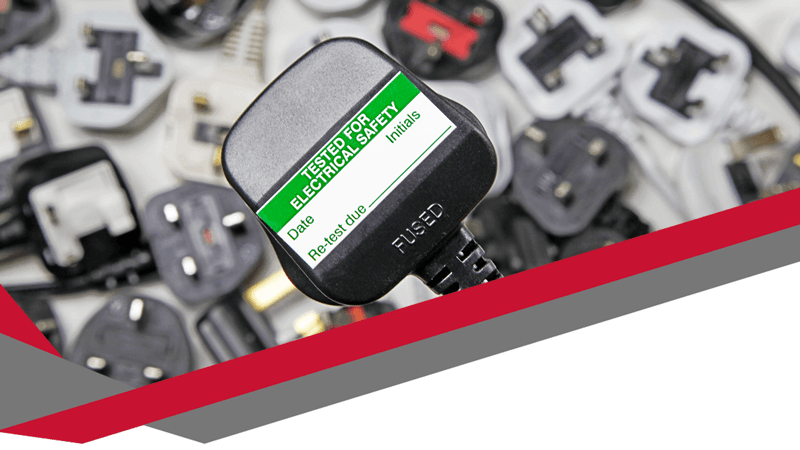
Testing focuses on three key areas. Visual checks spot obvious issues like frayed cables or cracked plugs. Electrical tests confirm correct wiring and insulation. Labelling then records the outcome clearly. This structured approach provides reassurance for employers and staff alike.
Why PAT Testing matters beyond compliance
Safety legislation in the UK requires employers to manage electrical risks. The Electricity at Work Regulations 1989 set clear expectations. Equipment must remain safe throughout its use. While the law does not demand PAT Testing by name, it expects reasonable steps. PAT Testing meets that expectation in a recognised and proportionate way.
Compliance alone should not drive action. Electrical faults cause fires, injuries, and lost working time. Even minor incidents disrupt operations. A failed power lead can halt a team for hours. Consistent testing reduces those risks significantly.
How PAT Testing supports business continuity
Technology underpins modern work. Phones, headsets, routers, and power supplies keep communication flowing. When equipment fails unexpectedly, customer service suffers. Deadlines slip. Reputation takes a hit.
PAT Testing helps prevent those scenarios. Regular checks identify deterioration before failure occurs. Planned maintenance always costs less than emergency fixes. Businesses that test proactively experience fewer surprises. That stability supports growth and confidence.
PAT Testing in offices, hybrid spaces, and home working
Work patterns have changed. Many teams now work across offices, shared spaces, and home environments. That shift complicates electrical safety management. Employers still hold responsibility for equipment they provide. Laptops, docking stations, and chargers travel between locations.
PAT Testing adapts well to these realities. Testing schedules can reflect usage and risk. High-use items receive more frequent checks. Low-risk equipment follows longer intervals. Flexibility ensures safety without unnecessary disruption.
How often PAT Testing should take place
No single timetable suits every business. Risk assessment drives frequency. Environment, equipment type, and usage all matter. For example, a busy office with frequent equipment movement faces higher risk than a static setup.
Many organisations adopt annual testing as a baseline. Others test certain items every two or four years. Visual checks often happen more frequently. Clear records support decisions and demonstrate due diligence.
Common misconceptions that cause problems
Some businesses assume new equipment does not need testing. That belief creates gaps. Manufacturing faults and transport damage still occur. Initial testing confirms safety from day one.
Others rely solely on stickers from previous years. Labels alone prove nothing without records. Documentation matters during inspections and insurance claims. Accurate logs protect businesses when questions arise.
What a professional PAT Testing service provides
A competent PAT Testing provider brings expertise and consistency. Trained testers understand regulations, equipment types, and testing methods. Professional services also minimise disruption. Testing often happens outside peak hours or in planned phases.
Reports form a crucial part of the service. Clear records list tested items, results, and recommended actions. Those documents support audits and internal reviews. Reliable providers also offer guidance on future testing cycles.
Linking PAT Testing with wider IT and telecoms support
Electrical safety does not exist in isolation. IT infrastructure depends on reliable power. Network outages often trace back to faulty equipment or overloaded extensions. PAT Testing reduces those risks.
For businesses using advanced communications, safety underpins performance. Headsets, handsets, and routers must remain reliable. Regular testing complements ongoing IT and telecoms maintenance. Together, these services create resilient systems.
Businesses exploring professional PAT Testing services alongside their wider technology support often benefit from joined-up thinking. Integrated approaches reduce gaps and simplify management. Digicomm 360 supports businesses with technology-led solutions that prioritise reliability and compliance through services such as professional PAT Testing.
External guidance and recognised standards
Authoritative guidance helps businesses understand best practice. The Health and Safety Executive provides clear advice on electrical safety and PAT Testing expectations. Their guidance explains legal duties and sensible precautions. You can review official information through the Health and Safety Executive’s electrical safety guidance.
Using trusted sources strengthens internal policies. It also reassures stakeholders that decisions align with national standards. Reliable information supports confident leadership.
Planning PAT Testing without disrupting work
Disruption remains a common concern. However, effective planning solves most issues. Asset lists help testers work efficiently. Clear communication prepares staff. Phased testing avoids unnecessary downtime.
Many providers now test quickly with minimal interruption. Portable equipment allows flexibility. Advance planning turns PAT Testing into a smooth process rather than a nuisance.
The long-term value of consistent testing
Over time, PAT Testing delivers more than safety. Data reveals patterns. Frequent failures highlight equipment quality issues. Replacements then become strategic rather than reactive.
Consistent testing also supports insurance compliance. Insurers expect evidence of risk management. Clear records reduce disputes after incidents. That protection alone often justifies the investment.
Final thoughts on PAT Testing for UK businesses
PAT Testing for businesses remains a practical, proven way to manage electrical risk. It protects people, equipment, and operations. When approached thoughtfully, testing supports productivity rather than interrupting it.
Businesses that integrate PAT Testing into their wider technology strategy gain clarity and control. Safety becomes part of everyday operations. Confidence grows. That foundation allows organisations to focus on what matters most.
Further Reading
Keeping your business technology safe, compliant and running efficiently requires more than occasional maintenance. Explore these related articles to discover how proactive IT support and regular technology reviews can help protect your business.
Proactive IT Support – Find out how proactive monitoring and preventative maintenance help reduce downtime, improve reliability and keep your business operating smoothly.
The End of Windows 10: What It Means for You and Your Business – Learn why reviewing your IT equipment and operating systems is essential for maintaining security, compliance and business continuity.