





Make Working with PDFs Easier
PDF documents are everywhere in business. Contracts, quotations, application forms, reports, policies, invoices and customer documents are regularly created and exchanged as PDFs. But simply being able to open a PDF isn’t always enough.
Employees may need to change text, reorganise pages, convert documents into another format, combine several files, collect signatures or protect sensitive information before sharing it.
Adobe Acrobat Pro provides professional PDF tools that allow employees to do more with the documents they use every day.
Rather than switching between different applications or relying on basic PDF readers and online conversion tools, your team can use Adobe’s established PDF software for a wide range of document tasks.
Digicomm 360 can help your business source and manage Adobe Acrobat Pro licensing alongside Microsoft 365, other business software and your wider IT requirements.
Why Choose Adobe Acrobat Pro?
Adobe Acrobat Pro gives employees professional tools for working with PDF documents throughout their working day.
Edit PDFs
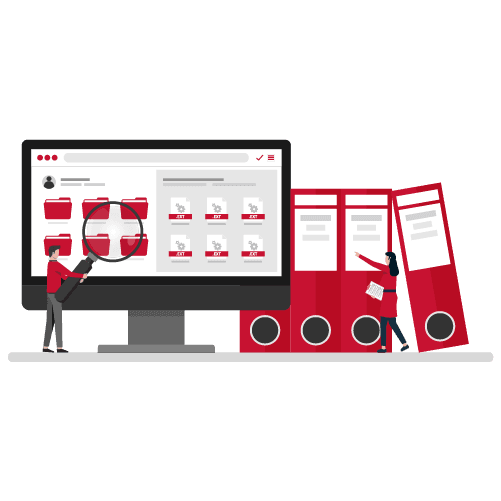
Change text and images, make corrections and update existing PDF documents without recreating the original file.
Convert Documents
Convert supported Microsoft Office documents, images and other file types into PDFs, and export PDFs into supported editable formats.
Organise PDFs
Combine documents, rearrange pages, remove unwanted pages and organise information into professional PDF files.
Work with Electronic Signatures
Prepare documents for electronic signatures and request signatures using the signing functionality available with your Adobe plan.
Professional PDF Tools for Your Business
Acrobat Pro can support employees across administration, finance, HR, sales, management and other departments.
Create & Edit PDFs
Create professional PDF documents and make changes to existing files using Adobe’s PDF editing tools.
Convert PDF Files
Convert supported documents into PDFs or export PDF content into other supported file formats when further editing is required.
Combine & Organise Documents
Bring multiple documents together, reorder pages and create organised PDF files for customers, employees and internal records.
Electronic Signatures
Prepare documents for signature and send signature requests using the electronic signing features included with the appropriate Adobe service or plan.
Protect PDF Documents
Apply available document-security controls such as passwords and permissions when additional protection is appropriate.
Review & Collaborate
Share documents for review, collect feedback and use commenting and collaboration tools to make document workflows easier to manage.
Simplify Everyday Document Management
Working with documents can consume a surprising amount of employee time.
A contract arrives as a PDF but needs updating. Several documents need combining before being sent to a customer. A form needs signing. Pages need removing from a report. Information needs converting into a format that somebody can edit.
Without appropriate PDF software, these simple tasks can quickly become inefficient.
Adobe Acrobat Pro brings many common PDF functions together in one professional application.
Employees can make changes directly to suitable PDF documents rather than searching for the original source file. Multiple documents can be combined and organised into a single PDF, while conversion tools make it easier to move information between PDF and other supported file formats.
For documents requiring approval, electronic signature functionality can help businesses move away from workflows based on printing, physically signing, scanning and emailing documents back and forth.
Document protection features can also be used where businesses need additional controls around particular PDF files. When confidential documents need to leave your organisation, secure business email can provide additional protection for sensitive information being shared electronically.
Acrobat can therefore support much more than simply viewing PDFs. It can become part of the everyday document workflow across multiple departments within your organisation.
And because Digicomm 360 can support your wider software environment, Adobe licensing doesn’t need to be managed as an isolated part of your business technology.
Why Choose Digicomm 360 for Adobe Acrobat Pro?
Software licensing is easier when it forms part of your wider IT and software strategy.

Adobe Software for Business
Get help selecting appropriate Adobe software and licensing for the people within your organisation.
Business Licensing Support
Understand your Adobe licensing requirements rather than simply purchasing individual subscriptions without a wider plan.
Software That Fits Your Team
Provide Acrobat Pro where advanced PDF functionality is needed while considering the requirements of different users.
Help as Your Business Changes
Review software licensing as employees join, leave or change roles within your organisation.
Wider Software Expertise
Manage Adobe alongside Microsoft 365 and other important business applications.
Ongoing IT Support
Get ongoing business IT support from a technology partner that understands your wider devices, users, software and IT environment.
Adobe Acrobat Pro or Creative Cloud?
Adobe Acrobat Pro and Adobe Creative Cloud are both Adobe products, but they solve very different business requirements.
Adobe Acrobat Pro
Choose Adobe Acrobat Pro when your employees primarily need to:
- Create and edit PDFs
- Convert documents into or from PDF
- Combine and organise PDF files
- Review and comment on documents
- Work with electronic signatures
- Apply available protection to PDF documents
Adobe Creative Cloud
Choose Adobe Creative Cloud when your employees need professional applications for:
- Graphic design
- Photography
- Illustration
- Page layout and publishing
- Video production
- Marketing and creative content
Many businesses need both.
A marketing department might use Photoshop, Illustrator and InDesign through Creative Cloud to produce a brochure, while employees elsewhere in the organisation use Acrobat Pro to review, distribute, edit or work with the final PDF.
Digicomm 360 can help you identify which Adobe applications and licences are appropriate for different employees rather than taking a one-size-fits-all approach to business software.
For a deeper look at PDF workflows, read our guide to Adobe Acrobat Pro and smarter document management.
Frequently Asked Questions
What is Adobe Acrobat Pro?
Adobe Acrobat Pro is professional PDF software that provides tools for creating, editing, converting, organising, reviewing and protecting PDF documents. It also provides access to electronic signature functionality, depending on the Adobe service and plan being used.
What is the difference between Adobe Acrobat Reader and Acrobat Pro?
Adobe Acrobat Reader provides core functionality for viewing, printing and interacting with PDF documents. Acrobat Pro provides additional tools for tasks such as editing PDFs, converting files, organising pages, creating documents and applying additional document controls.
Can Adobe Acrobat Pro edit PDF documents?
Yes. Acrobat Pro includes tools that can edit text and images in many PDF documents, although the ability to edit particular content can depend on how the original PDF was created and whether security restrictions have been applied.
Can I use Adobe Acrobat Pro for electronic signatures?
Acrobat includes electronic signature functionality, although the exact features and limits available depend on the Adobe product and subscription plan. Digicomm 360 can help businesses consider the appropriate Adobe licensing for their requirements.
Make Business Documents Easier to Manage
Give your team professional tools to create, edit, convert, organise and work with PDF documents using Adobe Acrobat Pro.
Looking to Get More from Your Business Software?
Explore our latest guides, software advice and practical insights to help your team work more efficiently with the technology they use every day.

AI is rapidly becoming part of everyday business, but with another monthly licence to consider, many organisations are asking the same question: is...
Artificial Intelligence is changing the way businesses work. AI for Business is no longer just for large organisations with dedicated IT...

Software vulnerabilities continue to be one of the most common causes of cyber security incidents across the UK. Following a recent cyber attack...

At Digicomm 360, we’re always looking for ways to improve the proactive IT support service we deliver to our customers. Technology never...

Multi-Factor Authentication (MFA) is now a mandatory requirement for businesses using cloud systems, and it’s one of the most important steps you...

Shadow AI is already appearing in businesses everywhere – often without anyone realising. Employees are increasingly using AI tools like...
The PDF still matters in modern UK work PDFs sit everywhere in UK business. You see them in contracts, tenders, safeguarding policies and onboarding...
Windows 11 for business represents Microsoft’s most security-focused operating system yet. Designed for modern workplaces, it supports hybrid...
Microsoft 365 Copilot is changing how UK businesses use familiar tools like Outlook, Word, Excel, and Teams. Instead of adding another system to...
Microsoft 365 Copilot: What the Office Name Change Means for Your Business You may have recently noticed Microsoft Office being referred to...
Customer Testimonials








Send us a Quick Message
By submitting this form, you agree that Digicomm 360 Ltd may use the information provided to respond to your enquiry and discuss relevant products and services. Your information will be processed in accordance with our Privacy Policy.