Microsoft 365 Copilot: What the Office Name Change Means for Your Business
You may have recently noticed Microsoft Office being referred to differently across your apps and dashboards. This change reflects Microsoft’s latest update to its productivity platform, placing Microsoft 365 Copilot AI tools more centrally within the Microsoft 365 experience.
If you’re wondering what this means for your business and whether you need to take action, here’s a clear explanation without the hype.
Why Microsoft Has Updated the Office Brand to Microsoft 365 Copilot
Microsoft has repositioned its Office apps under a new naming structure that highlights its AI assistant.
Instead of seeing “Office” or “Office 365”, users may now encounter:
A Microsoft 365 app experience with Copilot features
AI tools appearing in Word, Excel, PowerPoint, Outlook and Teams
Office.com redirecting to Microsoft 365 plans that reference Copilot functionality
What the Microsoft 365 Copilot Experience Actually Does
The AI assistant built into Microsoft 365 is designed to support everyday work, not replace it.
Depending on your licence, features may include:
Drafting and summarising documents
Analysing data in Excel
Creating presentations more quickly
Summarising meetings and emails
Finding information across Microsoft 365 apps
Are Word, Excel and Outlook Still the Same?
Yes, the familiar Office applications are still there and continue to work exactly as before.
The change is largely about how Microsoft presents and integrates Microsoft 365 CopilotAI tools, rather than removing or replacing core software. Businesses can continue using Word, Excel, PowerPoint and Outlook without enabling AI features.
Addressing Privacy and Control Concerns about Microsoft 365 Copilot
Some online discussion has raised concerns about privacy and AI tools. For business users, it’s important to understand that:
AI features operate within existing Microsoft 365 security controls
Data access follows user permissions and policies
Advanced features require specific licences
AI tools can be restricted or disabled if required
Microsoft provides detailed guidance on managing these settings, allowing organisations to remain in control of how features are used.
What Microsoft 365 Copilot Means for UK Businesses
For most organisations, there’s no immediate impact:
Your Microsoft 365 setup remains unchanged
Staff can continue working as normal
AI tools are optional, not forced
Files, emails and permissions stay the same
For businesses that choose to explore Microsoft 365 Copilot AI features, the benefits are often seen in time-saving tasks, reporting, and collaboration – particularly in admin-heavy roles.
Reviewing Your Microsoft 365 Setup
This change provides a good opportunity to review:
Microsoft 365 licences and inclusions
Which users (if any) should access AI features
Security and privacy settings
Staff guidance and training needs
A structured review helps ensure you’re paying for the right tools – and only using what adds value.
How Digicomm 360 Supports Microsoft 365 Copilot Customers
Digicomm 360 supports businesses with Microsoft 365 planning, setup and ongoing support.
Microsoft’s updated naming reflects the future direction of workplace software – but it doesn’t require businesses to change how they work overnight.
With the right advice and setup, AI tools can be introduced sensibly, securely, and only where they add value.
If you’d like to review your Microsoft 365 environment or discuss whether Copilot features are right for your organisation, we’re here to help. Get in touch with the experts today.
IT Equipment Finance vs Leasing: What’s Right for UK Businesses?
Modern businesses rely heavily on technology – from IT infrastructure and networking to telecoms systems, cloud telephony, and mobile devices. But when it comes to investing in new technology, many UK businesses face the same question: should we finance IT equipment, lease it, or buy outright? Let’s explore IT Equipment Finance vs Leasing.
Understanding the difference between IT equipment finance and leasing can help businesses make smarter decisions, protect cash flow, and invest in technology that supports long-term growth.
This guide explains the options clearly, without jargon, so you can decide what works best for your organisation.
Why UK Businesses Are Turning to IT & Telecoms Finance
Technology moves fast. Buying IT and telecoms equipment outright can leave businesses exposed to:
Large upfront capital costs
Reduced cash flow
Equipment becoming outdated before it’s fully depreciated
Rather than tying up working capital, businesses pay predictable monthly amounts while using the technology immediately.
What Is IT Equipment Finance?
IT equipment finance allows businesses to purchase technology using funding spread over an agreed term.
How it works:
You select the IT or telecoms equipment you need
The cost is spread over fixed monthly payments
At the end of the agreement, you typically own the equipment
Best suited for:
Core IT infrastructure
Hardware with a longer lifespan
Businesses wanting ownership at the end of the term
Benefits:
Preserves working capital
Predictable budgeting
Ownership of assets
Can align repayments with business growth
IT equipment finance is popular with businesses investing in servers, networking equipment, desktops, laptops, and telecoms hardware that will remain in use for several years.
What Is IT & Telecoms Leasing?
Leasing allows businesses to use technology without owning it outright.
How leasing works:
Equipment is leased for a fixed period
Monthly payments cover usage
At the end of the term, you may upgrade, extend, or replace the equipment
Best suited for:
Fast-moving technology
Telecoms systems and devices
Businesses that value flexibility and upgrades
Benefits:
Lower upfront costs
Access to the latest technology
Reduced risk of obsolescence
Easier upgrades as needs change
Leasing is particularly effective for telecoms systems, cloud telephony hardware, mobile devices, and rapidly evolving IT environments.
IT Equipment Finance vs Leasing: Key Differences
Aspect
Finance
Leasing
Ownership
Typically yes
No
Upfront cost
Low
Low
Monthly payments
Fixed
Fixed
Upgrade flexibility
Limited
High
Obsolescence risk
Higher
Lower
Ideal for
Long-term assets
Fast-changing tech
There is no “one size fits all” answer – the best option depends on your business goals, cash flow, and technology strategy.
Buying IT Equipment Outright: Is It Still Worth It?
Paying cash upfront may still suit some organisations, but it comes with risks:
Capital tied up in depreciating assets
Reduced flexibility
Less ability to respond to change
For many UK businesses, buying outright is now reserved for smaller purchases or non-critical equipment, while IT and telecoms finance or leasing is used for core systems.
Choosing finance or leasing is not just a financial decision – it’s a strategic one.
Key advantages include:
Improved cash flow – capital stays available for growth
Better budgeting – predictable monthly costs
Faster deployment – no delays waiting for capital approval
Future-proofing – easier access to upgrades and modern systems
This approach allows businesses to focus on performance, productivity, and people – not just upfront costs.
IT Equipment Finance vs Leasing: Which Option Is Right for Your Business?
Ask yourself:
How long will we use this technology?
How quickly will it become outdated?
Do we want ownership or flexibility?
How important is cash flow?
Many organisations use a blended approach, financing long-term IT assets while leasing telecoms or user devices.
IT Equipment Finance vs Leasing: Getting Expert Advice Makes the Difference
Understanding IT equipment finance and leasing options can feel complex, especially when different providers and agreement types are involved.
Working with an experienced IT & telecoms partner helps ensure:
The right funding model is chosen
Costs align with business needs
Technology decisions support long-term strategy
If you’re exploring IT & telecoms finance and leasing, professional advice ensures your technology investment works harder for your business.
IT Equipment Finance vs Leasing: Ready to explore your options?
If you’d like tailored guidance on IT & telecoms finance and leasing, speak to a specialist who can assess your needs and recommend the right approach.
Every year, the Digicomm 360 team look for new ways to spread a little festive joy. As an IT and Telecoms provider, we spend our days keeping businesses connected – but at Christmas, we love finding ways to help people feel emotionally connected too. This year, that mission has taken on a sparkling twist, wrapped in a little red ribbon, topped with a fluffy white beard, and delivered straight from the North Pole.
Yes, we’re talking about Keira Claus, the digielves, and our brand-new tradition: The Festive Gold Draw.
Let’s get the boring, necessary details out of the way first… What hours are we open this Christmas time?
Christmas Opening Hours:
Monday 22nd December 2025 – Open 08:30 – 17:30 Tuesday 3rd December 2025 – Open 08:30 – 17:30 Wednesday 24th December 2025 – Open 08:30 – 17:30 Thursday 25th December 2025 – Closed Friday 26th December 2025 – Closed
Between Christmas and New Year:
Monday 29th December 2025 – Open 08:30 – 17:30 Tuesday 30th December 2025 – Open 08:30 – 17:30 Wednesday 31st December 2025 – Open 08:30 – 17:30
New Year Opening Hours:
Thursday 1st January 2025 – Closed Friday 2 nd January 2025 – Open 08:30 – 17:30
Please remember to let us know your festive opening hours if you require updated out-of-hours greetings.
A Christmas Card With a Story Behind It
The star of our 2025 Christmas card is none other than our brilliant marketing apprentice, Keira – transformed into Keira Claus and pictured guiding a sleigh full of gifts, all inside a warm, glowing workshop scene straight out of Santa’s own HQ. With the words “Merry Christmas from Keira Claus & the digielves” front and centre, the card sets a festive tone from the very first glance.
Beneath the imagery, the message is simple but meaningful:
“Wishing you prosperity in the coming year…
Prosperity means different things to different people – success, opportunity, stability, wellbeing. For us, it’s about celebrating the businesses and communities we work with, and finding creative ways to give back. This is where the gold coin comes in.
A gold coin isn’t just a novelty treat – although we won’t deny they’re delicious. In fact, the tradition of gifting coins at Christmas goes back hundreds of years. As we shared inside the card:
“The tradition of giving coins dates back to St. Nicholas of Myra, who is said to have dropped gold coins down a chimney to help families and spread prosperity.
This little historical nugget – or should we say, gold nugget – became the inspiration for our 2025 festive campaign. If a simple gold coin could once change a family’s circumstances, maybe a modern version could help us do something similar today.
Introducing The Festive Gold Draw
Alongside Keira Claus and her sleigh, every Christmas card we sent out included a shiny gold coin. But this wasn’t just a chocolate treat. It was a ticket – an entry into a very special Christmas giveaway.
On page three of the card, we invited recipients to join in some festive fun:
“Snap a selfie – get the angle right! Post your pic for all to see, Tag @Digicomm360 with glee! You’ll enter a draw, it’s not just for fun – A charity of your choice, a prize is to be won!”
The idea is simple:
Take a photo with your gold coin.
Tag @Digicomm360 on social media.
You’re automatically entered into The Festive Gold Coin Draw.
And the prize?
A £100 charity donation made in honour of the winner, to any charity they choose. Whether big or small, local or national, close to the heart or close to the home – the choice belongs entirely to the winner.
This is our way of turning a fun festive challenge into a meaningful contribution. Your photo could genuinely help support a charity that matters to you or someone you know.
Why Charity Means So Much to Us
At Digicomm 360, community support isn’t a once-a-year gesture – it’s something our team commits to year-round. You’ll see that reflected on the back of the card, where we proudly share the charities we supported this Christmas: Bolton Hospice, The Bereavement Café, and Backup North West.
Supporting charities is woven into our culture because, beyond the technology, we’re in the business of people. Whether we’re helping a business stay connected or helping a local charity amplify its message, our work always comes down to the same goal: making a positive difference.
The Festive Gold Draw allows us to take that spirit even further by placing the power directly in the hands of our customers. You choose the charity. We make the donation. Together, we create a moment of impact.
A Little Fun With the digielves
Of course, it wouldn’t be a Digicomm360 Christmas without a bit of playful creativity. Inside the card, our engineers transformed into DigiElves — including Dan, our “engineering elf” leading the way with his gold coin selfie in hand. Signatures from the whole team surround the design, making the card feel warm, personal, and full of character – exactly what we hoped to achieve.
Because Christmas is about joy. Connection. Togetherness. And maybe a cheeky selfie or two.
We even made sure to note:
“Festive attire is optional, a simple photo of you holding your coin is ample.
So whether you feel like going full Santa, slipping on a jumper, or just snapping a quick picture at your desk, every photo counts.
The Big Announcement
We’ll be drawing one lucky winner on 5th January 2026, with the donation made shortly after. It’s the perfect way to kick off the new year – with generosity, kindness, and a little help going somewhere truly valuable.
Why This Tradition Matters
Christmas cards are lovely. Chocolate coins are delicious. But combining them into something that sparks creativity, community and charity? That feels truly special.
Our Christmas campaign is more than branding or marketing. It’s about creating a shared activity that encourages smiles, connections, and giving back.
Every time someone posts a photo, they’re not just entering a competition. They’re contributing to a story – one that Keira Claus, the digielves, and the entire Digicomm 360 team are proud to write together.
Spread the Cheer – You’re Invited
If you received a card from us this year, we hope it brought a smile to your day. And if you’re holding that gold coin, now’s the time to get snapping.
Tag us. Share the fun. And you might just help your favourite charity start the year with a little extra magic.
From all of us at Digicomm 360:
Merry Christmas, Happy New Year, and may prosperity find you in every way.
The End of Windows 10 – If you’re still using Windows 10, it’s time to start thinking ahead. Microsoft is ending support for Windows 10 on 14th October 2025.
From that date onwards, there’ll be no more security updates, no more bug fixes, and no official Microsoft support. If that doesn’t sound like a big deal, consider this: a lack of updates means your system could become a goldmine for cybercriminals, putting your data, business, and personal information at serious risk.
So, what does this really mean for you? Why is Microsoft making this change? And, most importantly, what should you do next? Let’s break it all down.
The End of Windows 10 – Why Is Windows 10 Being Phased Out?
Every version of Windows has a lifespan, and Windows 10 is no exception. Microsoft follows a fixed lifecycle policy, meaning that after a set number of years, support ends to make way for newer, more advanced technology.
Windows 10 was released on 29th July 2015 and has had a good run, but technology has evolved massively over the past decade. Newer threats, smarter cyberattacks, and changing ways of working mean that Windows 11 is now the future.
Microsoft is moving forward with Windows 11 as its flagship operating system, focusing on better security, improved performance, and AI-driven features like Copilot. By retiring Windows 10, Microsoft can focus its efforts on maintaining and improving its latest operating system, rather than trying to keep an older one afloat.
What Happens After October 2025?
Once Windows 10 reaches its end-of-life (EOL) date on 14th October 2025, here’s what you can expect:
No security updates – Microsoft will stop releasing patches, leaving vulnerabilities exposed. This makes it easier for hackers to target outdated systems.
No bug fixes – If you experience issues with Windows 10 after this date, Microsoft won’t be providing any solutions.
No technical support – If you run into a problem, Microsoft won’t be able to help. Your only option will be third-party support (which can be costly and unreliable).
Incompatibility with new software – Over time, new apps and programs will be designed for Windows 11 and beyond, meaning they won’t work on Windows 10.
Increased cyber risks – Without security updates, Windows 10 users will be far more vulnerable to viruses, malware, and ransomware attacks.
Is There an Option to Keep Windows 10?
Technically, yes – but it’s not recommended.
Microsoft is offering a paid Extended Security Updates (ESU) programme for businesses that absolutely must continue using Windows 10 beyond the EOL date. However, this only provides security updates, not bug fixes or feature improvements. And it won’t be free.
In most cases, sticking with an unsupported OS is a huge risk. Businesses in particular need to be careful – continuing to use an outdated system could result in non-compliance with industry regulations, especially in sectors that handle sensitive customer data.
The End of Windows 10 – Windows 10 vs Windows 11: What’s the Difference?
You might be wondering: What’s so great about Windows 11? Is it really worth upgrading? Let’s look at some key improvements:
1. Security First
Windows 11 is built with Zero Trust Security in mind. That means it has stronger defences against cyber threats right from the start, including:
TPM 2.0 (Trusted Platform Module) – Provides advanced encryption to protect your data.
Enhanced phishing protection – Alerts users if they enter credentials on unsafe sites.
Built-in ransomware protection – Helps prevent attacks before they happen.
2. AI-Powered Productivity with Copilot
One of the biggest game-changers in Windows 11 is Copilot, Microsoft’s built-in AI assistant. It can:
Summarise emails and documents in seconds.
Automate repetitive tasks, saving hours of work.
Generate reports and content based on simple prompts.
Essentially, it’s like having an AI-powered assistant built directly into your operating system.
3. Performance Boost
Windows 11 is designed to be faster and more efficient, using fewer system resources while delivering smoother performance. Whether you’re a casual user or a business running multiple applications, you’ll notice the difference in speed.
4. A Modern, User-Friendly Design
Microsoft has streamlined the interface in Windows 11, making it cleaner, more intuitive, and easier to use. Key changes include:
A centred Start menu (more Mac-like, but still familiar).
Better multitasking features like Snap Layouts.
Seamless integration with Microsoft 365 and Teams.
5. Better Compatibility with New Software
As time goes on, more applications and hardware will be designed specifically for Windows 11. Sticking with Windows 10 means missing out on future innovations, while Windows 11 ensures compatibility for years to come.
How Many People Still Use Windows 10?
As of early 2024, Windows 10 is still the most widely used operating system worldwide, accounting for about 68% of all Windows users. However, adoption of Windows 11 is steadily growing.
A 2023 study by StatCounter found that Windows 11 adoption increased by 9% in just six months, with businesses leading the way in upgrades.
But that still means millions of users need to make the switch before 2025 – or risk running an unsupported system.
How to Prepare for the Upgrade
The End of Windows 10 – If you’re still on Windows 10, here’s how to get ahead of the deadline:
1️⃣ Check if your PC is compatible with Windows 11 – Use Microsoft’s PC Health Check tool to see if your device meets the system requirements.
2️⃣ Consider upgrading your hardware – If your PC isn’t Windows 11 ready, it might be time for a new device. Many businesses are now switching to Copilot-powered laptops, designed for AI-driven efficiency.
3️⃣ Back up your data – Before making any big system changes, always back up important files to OneDrive, an external hard drive, or cloud storage.
4️⃣ Speak to an IT expert – If you run a business, work with Digicomm360 to ensure a smooth transition with minimal disruption.
5️⃣ Make the switch sooner rather than later – Don’t wait until October 2025 to upgrade. The earlier you move to Windows 11, the more time you have to adjust and take advantage of its benefits.
Future-Proof Your Business Today
The countdown is on. Windows 10 will officially be retired on 14th October 2025, and businesses that don’t upgrade risk falling behind. Whether you’re a small business, a growing enterprise, or just someone who values speed, security, and efficiency, making the move to Windows 11 is the smart choice.
If you need help upgrading, choosing the right device, or understanding how Windows 11 can benefit your business, get in touch today. The future of work is here – don’t get left behind.
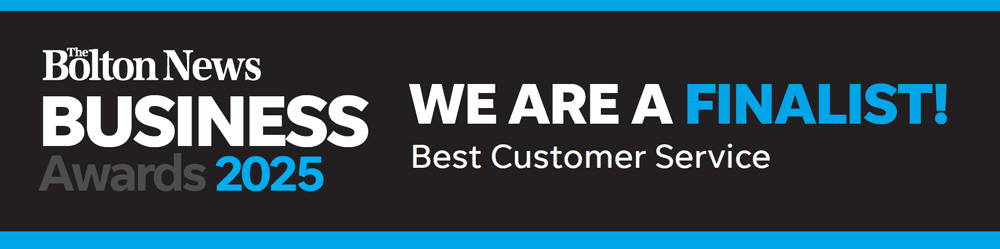
We’re delighted to share some exciting news – Digicomm360 has been shortlisted as a finalist in the Best Customer Service Bolton category at the Bolton News Business Awards 2025.
This is a huge moment for our team and a proud milestone in our journey as a Bolton-based IT and telecoms provider. To be recognised for something we care so deeply about – our customer service – means everything to us.
Recognising Bolton’s Best Customer Service!
The Bolton News Business Awards celebrate the outstanding achievements of businesses across the town. These awards highlight the hard work, dedication, and innovation happening every day behind the scenes in local organisations.
Being named a finalist for Best Customer Service, Boltonis already a win in our eyes. We’re proud to be in such great company, and even more proud to represent the tech and telecoms industry in Bolton – a town that’s full of ambition and energy.
What the Nomination Means to Digicomm360
Our customers are at the heart of everything we do. Being recognised in the Best Customer Service Bolton category tells us we’re doing things right – that our approach of being responsive, honest and truly helpful is making a difference.
This nomination is not just a reward for our efforts; it’s encouragement to keep raising the bar. In a fast-paced industry, where challenges are often time-critical, customer service can make or break a business. For us, it’s the backbone of every project, every support ticket and every phone call.
The Big Night: Awards Evening Details
The awards ceremony will take place on Friday, 26th September 2025, at the iconic Toughsheet Stadium, home of Bolton Wanderers. The evening promises to be a true celebration, with glitz, glamour and some of the most inspiring stories in local business.
Doors open: 6:30 pm Dinner served: 7:00 pm (Three-course meal) Host: Elaine Willcox, ITV News Correspondent and Editor Dress code: Black Tie Entertainment: To follow after the awards
Let’s celebrate Best Customer Service Bolton in style and give a well-earned spotlight to our region’s hardworking businesses.
Best Customer Service Bolton – Why Customer Service Still Matters
In our industry, tech changes constantly. However, one thing that never goes out of date is excellent customer service. We are so proud to be finalists as Best Customer Service in Bolton.
Whether it’s helping a small business set up a new cloud telephony system or supporting a large organisation through a complex IT upgrade, we treat every customer with the same level of care. We don’t just fix problems – we build relationships.
At Digicomm360, we pride ourselves on being:
Friendly and approachable
Quick to respond
Clear in our communication
Flexible to your needs
Proactive with advice
Always just a phone call away
This nomination is a reflection of the way we work – and the trust our clients place in us.
A Team Effort Worth Celebrating
This recognition wouldn’t be possible without our incredible team. Every engineer, support agent, project lead and administrator plays a part in making our customer experience the best it can be.
We’re a close-knit team who genuinely care about doing the right thing – not just ticking boxes. And that passion shines through in the feedback we receive:
“The Digicomm360 team are amazing – fast, friendly, and really know their stuff. We trust them completely.”
“If something goes wrong, they’re on it straight away. It’s like having our own in-house IT team.”
“You don’t get customer service like this anymore. They’ve looked after us for years.”
We’re proud of our people. They make Digicomm360 what it is.
Recent Award Win Highlights Our Dedication to Customers
In 2024, we were honoured to win a national industry award recognising our technical expertise and commitment to service. Judges praised Digicomm360 for building a remarkable team with deep product knowledge and an unwavering dedication to delivering high-quality service to customers. Read the full article here. Now, this award for Best Customer Service in Bolton is testimony to us as a great company.
This achievement further reinforces our place as a finalist in the Best Customer Service category and highlights our team’s consistent efforts to go above and beyond.
Bolton’s Future is Bright
As we look ahead, we’re excited about what’s to come – not just for Digicomm360, but for Bolton as a whole.
The town is full of ambitious businesses doing brilliant work, and the Bolton News Business Awards are a fantastic opportunity to shine a light on their efforts. We’re honoured to be included for Best Customer Service in Bolton.
We’re also continuing to expand our services, improve our systems and invest in the people and tech that help our clients thrive. As we grow, our commitment to top-tier customer service will remain our top priority.
Final Thoughts from Team Digicomm360
At the heart of it, this nomination is a reminder of why we do what we do – because people matter. Technology is only ever as good as the service that comes with it, and we’re proud to be showing that Bolton businesses can lead the way in combining both. Whatever happens on awards night, we’ll keep focusing on delivering solutions that make a real difference to our clients’ day-to-day lives and their long-term success.
We want to thank all our amazing clients for your continued support, loyalty and kind words. Whether you’ve worked with us for a decade or a day, you’re part of this success.
We also want to thank The Bolton News and Bolton Council for recognising local businesses and organising this brilliant event.
Whether we take home the trophy or not, we already feel like winners. Why? Because we’ve stayed true to our values – and it’s working.
Work With Us for the Best Customer Service in Bolton
Looking for an IT or telecoms partner who genuinely cares? We’re here to help.